
Technical SEO has never suffered from a lack of data. The real problem is turning that data into clear priorities, fast decisions, and repeatable action. That is why AI SEO tools have become a serious topic for in-house teams, consultants, and growing websites that need more than a basic crawler report.
This question-and-answer guide looks at where AI SEO tools fit inside a technical SEO workflow, what they do well, where they fall short, and how to evaluate them without getting distracted by flashy features. If your goals include cleaner crawling, better indexation, stronger internal linking, and tighter execution, this is the practical framework to use.
What are AI SEO tools in a technical SEO context?
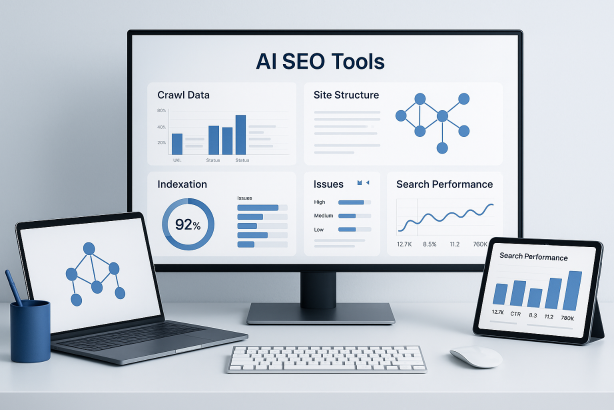
In technical SEO, AI SEO tools are best understood as software that helps interpret large sets of SEO data, detect patterns, surface anomalies, and suggest next steps. The strongest platforms do not simply list hundreds of errors. They help you understand which issues matter first, which templates are affected, and what should be fixed before the next crawl or release.
That distinction matters. A traditional audit tool can tell you that a site has broken links, duplicate title tags, redirect chains, weak internal linking, or blocked resources. A more advanced tool should help connect those findings to business impact and workflow. For example, it may group similar issues by page type, flag sudden changes after a deployment, or highlight pages that are technically indexable but strategically underlinked.
For technical SEO teams, the value is not novelty. The value is faster diagnosis, sharper prioritization, and less time spent sorting noise from signal.
Where do AI SEO tools help most in technical SEO?
They are most useful when technical teams need help processing complexity at scale. That usually shows up in a few specific areas.
Crawl diagnostics
Large sites generate long issue lists. Good tools help identify which crawl problems are systemic and which are isolated. Instead of treating every 404 or redirect as equally urgent, they can help reveal patterns across directories, templates, or CMS outputs.
Indexation review
Many sites have a gap between pages that exist, pages that are crawlable, and pages that are actually useful in search. This is where indexation monitoring becomes important. Advanced platforms can help teams compare technical accessibility with search-facing signals so they can spot pages that should be indexed but are weakly supported, or pages that absorb crawl attention without organic value.
Internal linking optimization
Internal links are often one of the fastest technical wins. On large sites, however, it is difficult to see where important pages are buried, orphaned, or linked with inconsistent context. Useful tools help expose weak link paths, shallow authority flow, and missed opportunities between related pages or categories.
Template-level issue discovery
Technical problems rarely happen one URL at a time. They usually happen because a template, component, plugin, or publishing rule is producing the same flaw across hundreds or thousands of pages. Tools that can cluster similar issues by pattern are far more valuable than tools that just export raw page lists.
Structured data and markup QA
Schema markup errors, canonical mismatches, missing directives, and malformed metadata can be hard to monitor consistently. The right platform makes these checks easier to repeat, especially after site updates or content migrations.
In short, the strongest use cases are not about replacing core technical SEO work. They are about helping teams see relationships across that work more quickly.
Which features matter most when comparing AI SEO tools?
Not every platform marketed under this label is genuinely useful for technical SEO. When you compare options, focus on the features that make technical decisions better, not just faster.
| Feature | Why it matters | What to check |
|---|---|---|
| Crawl analysis | Shows how the site is discovered, linked, and rendered at scale | Can it segment by template, depth, status code, directive, and indexability? |
| Issue prioritization | Helps teams fix the highest-impact problems first | Does it explain why an issue matters, or just label it critical? |
| Change detection | Useful after deployments, migrations, and CMS updates | Can it highlight meaningful shifts between crawls? |
| Internal linking insight | Supports discoverability, page importance, and crawl paths | Can it find orphaned pages, weak clusters, and thin link support? |
| Markup validation | Protects schema, canonicals, directives, and metadata quality | Are checks reliable and easy to verify manually? |
| Workflow support | Turns findings into action across SEO, content, and development teams | Can you export, annotate, assign, and track fixes cleanly? |
A simple rule helps here: if a tool produces more tickets but not more clarity, it is not helping your technical SEO process.
Can AI SEO tools replace crawlers and human review?
No. They can improve both, but they do not replace either.
A crawler gives you raw technical visibility. Human review gives you context, business judgment, and implementation realism. The tool layer in between can help organize findings, connect patterns, and suggest likely priorities. That is useful, but it is still only one part of the decision stack.
For example, a platform may flag a large number of missing or duplicate elements. That does not automatically mean the issue deserves immediate engineering time. You still need to ask whether the affected pages matter, whether the problem is indexation-related or cosmetic, whether it is caused by a deliberate template choice, and whether a broader architecture issue is the real root cause.
The best technical SEO teams use tools to move faster, then apply expert review before action. That combination protects against false urgency and keeps fixes aligned with actual search value.
How should teams use AI SEO tools inside a technical SEO workflow?
The most effective approach is to treat them as part of an operating system, not as a one-click answer engine. A clean workflow usually looks like this:
- Start with a baseline crawl. Establish the current state of indexability, status codes, canonicals, internal linking, and template outputs.
- Validate with supporting data. Cross-check findings with search performance, crawl behavior, and page importance where possible.
- Group issues by pattern. Organize by template, directory, page type, or CMS source rather than by isolated URLs.
- Prioritize by impact and effort. Focus first on problems that affect crawl paths, indexation, duplication, or high-value page groups.
- Ship fixes in batches. Tie recommendations to realistic development or publishing cycles.
- Recrawl and monitor. Confirm that the intended fix worked and did not create a secondary issue elsewhere.
This matters because technical SEO is iterative. One of the most overlooked strengths of good SEO automation software is not just surfacing problems, but supporting a repeated loop of detection, action, verification, and refinement.
What are the biggest risks and limitations of AI SEO tools?
The main risk is false confidence. When a platform presents findings in a polished way, teams may assume the output is more complete, accurate, or strategic than it really is.
Common limitations include:
- Shallow recommendations. Some suggestions sound useful but are too generic to implement well.
- Poor technical nuance. Not every duplicate, redirect, or noindex state is a problem.
- Weak site context. A tool may not understand your business model, publishing logic, or platform constraints.
- Black-box scoring. If you cannot tell why something is labeled critical, the label has limited value.
- Over-automation. Teams may create busywork by acting on every alert instead of improving the site architecture.
Another limitation is data freshness. Technical SEO decisions are sensitive to recent changes. If a tool is relying on incomplete or outdated crawl data, its recommendations can send teams in the wrong direction. That is why verification is non-negotiable, especially during migrations, large content releases, or navigation updates.
How do you choose the right AI SEO tools for your site and team?
Start with your real constraints, not with a feature list.
If you run a small site, you may only need a platform that keeps technical monitoring simple and makes recurring issues easy to spot. If you manage a large ecommerce site, publisher, marketplace, or multi-location property, you need stronger crawl analysis, segmentation, and change tracking. Agencies may care more about reporting flexibility and cross-site workflows. In-house teams often care more about collaboration with developers and content owners.
Before you commit, ask these practical questions:
- Does the tool handle the size and structure of my site?
- Can it explain issues at a template or pattern level?
- Does it help with indexation monitoring and internal linking optimization, or only surface surface-level warnings?
- Are the recommendations easy to verify?
- Will this reduce decision time, or just create more output to review?
- Can the team actually use it every week, not just during audits?
A short trial on a real section of your site is often more revealing than a polished demo. Use a live problem set, compare the findings with your current technical SEO tools, and judge whether the platform improves prioritization.
What is the smartest way to start using AI SEO tools?
Begin with one technical objective, not ten. For example, choose one of these: reduce crawl waste, strengthen internal link coverage for priority pages, improve template-level metadata quality, or clean up indexation signals after a site change. Then measure whether the tool makes that workflow more accurate and more efficient.
Keep the rollout disciplined. Define who reviews the findings, who approves priorities, how fixes are tracked, and when validation happens. Without that structure, even good software becomes another dashboard that nobody truly owns.
If you want a more organized way to evaluate and manage SEO work, Rabbit SEO is worth a closer look. It can help teams keep priorities visible, reduce scattered reporting, and bring more consistency to ongoing optimization work without making the process heavier than it needs to be.
Final answer: are AI SEO tools worth it for technical SEO?
Yes, when they improve clarity rather than just increase output. The best AI SEO tools help technical SEO teams move from long issue lists to focused action. They can support better crawl analysis, stronger prioritization, cleaner internal linking, and more reliable monitoring across complex sites.
But they work best when paired with disciplined technical review. Use them to accelerate insight, validate the recommendations, and tie every fix back to search visibility, site quality, and execution capacity. That is how AI SEO tools become genuinely useful in a technical SEO strategy instead of just another layer of noise.