
Buying SEO automation software sounds straightforward until you start comparing platforms. Nearly every vendor promises faster audits, cleaner reporting, better visibility, and fewer manual tasks. In practice, the right choice depends on how well a tool supports your technical SEO workflow, your team structure, and the complexity of your site.
For in-house teams, agencies, and ecommerce brands, automation is not about replacing strategy. It is about reducing repetitive work so your team can spend more time on diagnosis, prioritization, implementation, and revenue-focused decisions. A good platform helps you monitor large sites, catch issues earlier, standardize reporting, and keep technical SEO work moving across stakeholders.
This buyer’s guide breaks down what SEO automation software should actually do, which features matter most, how to compare tools by use case, and what mistakes to avoid before signing a contract.
What SEO automation software should actually do
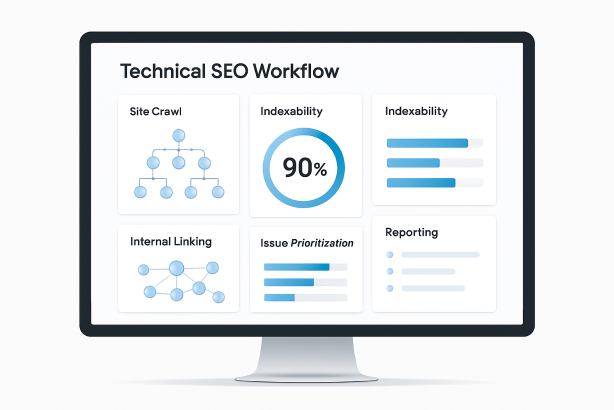
At a basic level, SEO automation software helps teams systemize recurring tasks that would otherwise consume hours every week. In a technical SEO context, that usually includes crawling websites, surfacing issues, monitoring change over time, and delivering data in a way that supports action.
The strongest platforms do not just generate long lists of errors. They help answer practical questions such as:
- What changed on the site since the last crawl?
- Which issues are blocking crawling, indexing, rendering, or internal discovery?
- Which templates, sections, or directories are affected?
- How severe is the problem from a business and organic traffic perspective?
- Who needs to act on the issue, and how will progress be tracked?
That distinction matters. A tool that produces hundreds of warnings without context is not true automation. It is just faster noise. Useful automation reduces manual checking, improves consistency, and creates a repeatable workflow for technical SEO operations.
Where SEO automation software creates the most value
Automation becomes especially valuable when your website is too large, too dynamic, or too operationally complex for manual oversight. Small brochure sites may only need lightweight monitoring. Large publishing sites, marketplaces, SaaS platforms, or ecommerce catalogs often need much more.
Large-scale crawling and issue detection
If your site has thousands or millions of URLs, manual spot checks are not enough. Automation helps you identify problems like broken links, redirect chains, duplicate pages, canonical inconsistencies, orphan pages, and crawl waste across the entire site.
Change monitoring
Technical SEO issues often appear after releases, migrations, CMS updates, template changes, or internal linking adjustments. SEO monitoring tools can alert you when important patterns shift, such as noindex tags being added, canonicals changing unexpectedly, or key pages dropping out of internal navigation.
Recurring reporting
Many teams waste time rebuilding the same weekly or monthly reports. SEO reporting automation makes it easier to create standardized dashboards for stakeholders, clients, or department leads without pulling the same data by hand each time.
Prioritization across teams
Technical SEO rarely lives with one person. Developers, content teams, product owners, and marketing leaders all need different levels of detail. Good software translates technical findings into workflows that can be assigned, tracked, and revisited.
Types of SEO automation software on the market
The phrase SEO automation software covers several product categories. Some tools specialize deeply in one area, while others try to act as an all-in-one platform. Knowing the difference helps you avoid paying for features you will never use.
Site audit and crawling platforms
This category is the backbone of technical SEO. Site audit software crawls your site similarly to a search engine and surfaces structural, indexation, and on-page issues. For many teams, this is the starting point of any automation stack.
Look for support around:
- Crawl depth and scale
- JavaScript rendering when relevant
- Custom extraction
- Segmenting by templates, directories, or page types
- Scheduled recrawls
- Issue history and change tracking
Rank tracking and visibility monitoring platforms
Rank tracking software automates keyword position monitoring across locations, devices, and search features. This matters when technical changes affect page visibility and you need a consistent way to measure impact over time.
Rank data alone is not technical SEO, but it becomes highly useful when paired with crawl findings, page segmentation, and release timelines.
Indexation and alerting tools
Some platforms are strongest at ongoing monitoring rather than deep audits. They help teams keep watch over indexability, status code changes, robots directives, and page-level availability so issues can be addressed before they become larger losses.
Enterprise workflow and reporting platforms
Enterprise SEO tools often include permissions, scheduled exports, stakeholder dashboards, ticketing workflows, and integrations designed for larger organizations. These are especially useful when technical SEO work needs to be shared across multiple departments or client accounts.
Key features to evaluate before you buy SEO automation software
Not every feature matters equally. The best buying process starts with the capabilities that map directly to your technical SEO responsibilities.
1. Crawl quality and flexibility
For technical SEO teams, crawl capability is usually the first non-negotiable. A platform should be able to handle your site’s size, architecture, and rendering requirements without producing incomplete or misleading data.
Ask whether the tool can:
- Crawl at the scale your site requires
- Respect robots directives and crawl settings appropriately
- Render JavaScript when needed
- Extract structured data, metadata, headings, canonicals, hreflang, and internal links accurately
- Segment reports by subfolder, subdomain, or template
If the crawl layer is weak, every downstream automation feature becomes less useful.
2. Issue prioritization
Many tools identify problems. Fewer help teams understand which problems deserve attention first. Look for software that makes it easier to sort issues by severity, affected page groups, strategic importance, and implementation effort.
Strong prioritization prevents teams from spending days fixing low-impact warnings while larger indexation or internal linking problems remain unresolved.
3. Scheduling and recurrence
SEO workflow automation depends on repeatability. You should be able to schedule crawls, alerts, and reports without manual setup every time. This is especially important for release monitoring, monthly health checks, and stakeholder reporting cycles.
4. Alerts that are useful, not noisy
Alerting can save time or create alert fatigue. The best tools let you define thresholds, focus on critical sections, and avoid flooding inboxes with minor fluctuations. Look for configurable notifications tied to business-critical page groups and technical conditions.
5. Integrations and exports
Even excellent software rarely lives alone. Most teams need to export data or connect it to existing systems. Depending on your workflow, useful integrations may include analytics platforms, search performance sources, dashboards, project management tools, and developer issue trackers.
At minimum, make sure the tool can export clean, usable data that your team can manipulate without friction.
6. Collaboration and task management
Technical SEO recommendations often stall between discovery and implementation. If multiple stakeholders are involved, evaluate whether the platform supports commenting, issue ownership, status tracking, sharing, and reporting by team or project.
The goal is not simply to identify problems but to move them through a workflow.
7. Historical data retention
SEO rarely changes in a single snapshot. You need context over time. Historical data helps teams answer questions like whether an issue is new, whether a section has improved, and whether fixes actually held after deployment.
This becomes especially important during migrations, redesigns, or periods of rapid publishing.
8. Usability for the people who will use it
A feature-rich platform can still fail if the interface is slow, confusing, or too dependent on one specialist. Consider who will use the software every week. A technical lead may want granular crawl settings, while executives may only need clear summaries and trend views.
How to compare SEO automation software by use case
The right product depends on what your team needs most. This table can help narrow the field.
| Use case | Must-have capabilities | Watch-outs |
|---|---|---|
| Large technical audits | Deep crawling, segmentation, issue grouping, exports, change tracking | Shallow crawls, weak rendering, limited data retention |
| Ongoing site health monitoring | Scheduled recrawls, alerts, trend history, critical issue thresholds | Noisy notifications, poor alert customization |
| Agency reporting | Multi-project views, scheduled reports, white-label options, clear summaries | Clunky client access, hard-to-read dashboards |
| Enterprise collaboration | User permissions, task workflows, integrations, segmentation by teams or business units | Complex setup without stakeholder adoption |
| SEO performance tracking | Reliable keyword monitoring, page-level reporting, visibility trends | Rank data disconnected from technical findings |
| Migration support | Baseline snapshots, redirect validation, status monitoring, recrawl comparison | Limited before-and-after visibility |
Questions to ask vendors before signing
A good demo can hide practical limitations. Before committing to SEO automation software, ask direct operational questions.
- How does the platform handle large sites and crawl limits?
- What rendering options are available for JavaScript-heavy environments?
- Can we segment data by page type, template, directory, or custom rules?
- How are issues prioritized or scored?
- What kinds of alerts can we customize?
- How long is historical data retained?
- Which integrations are native, and which require manual exports?
- How are user permissions and stakeholder access managed?
- What does onboarding look like for in-house teams or agencies?
- What support is available when crawl configurations need refinement?
These questions quickly separate polished marketing from practical suitability.
Common mistakes buyers make
Choosing breadth over fit
All-in-one platforms can look attractive, but broad feature lists do not guarantee technical depth. If technical SEO is your priority, make sure core crawling, issue analysis, and monitoring are strong enough before paying for peripheral modules.
Buying for the demo, not the workflow
A demo often highlights the cleanest screens, not the daily reality of setup, exports, maintenance, and collaboration. Evaluate how the software fits into weekly operations, not just how impressive the interface looks.
Ignoring implementation workflows
Finding issues is only the first step. If your team cannot turn findings into action items for developers, content owners, or clients, the software will become a reporting layer rather than an operational system.
Underestimating training and adoption
Some teams buy sophisticated platforms that only one person understands. That creates bottlenecks and weak adoption. The best purchase is usually the one your team can use consistently and confidently.
Paying for data you do not act on
If a platform gives you massive volumes of information but your team only reviews a small portion, you may be overbuying. Focus on software that sharpens decisions, not just data volume.
A practical scorecard for selecting SEO automation software
If you are comparing several vendors, use a simple weighted scorecard. Score each category from 1 to 5, then apply weight based on business importance.
| Evaluation category | Suggested weight | What to assess |
|---|---|---|
| Crawl capability | 25% | Scale, rendering, accuracy, segmentation, configuration |
| Monitoring and alerts | 15% | Scheduling, thresholds, signal quality, change detection |
| Reporting and exports | 15% | Dashboard clarity, recurring reports, export flexibility |
| Workflow and collaboration | 15% | Assignments, comments, permissions, stakeholder usability |
| Historical data and comparisons | 10% | Trend visibility, recrawl comparisons, retention period |
| Ease of use | 10% | Adoption, interface quality, learning curve |
| Cost efficiency | 10% | Value relative to scale, team size, and actual usage |
This kind of framework keeps the buying process grounded. It also makes internal approval easier because the decision is tied to operational needs rather than personal preference.
Who benefits most from SEO automation software?
Not every organization needs the same level of sophistication, but several team types usually benefit quickly from automation:
- In-house marketing teams that manage large or fast-changing websites and need dependable health checks
- SEO agencies that require repeatable audits, client reporting, and multi-account management
- Ecommerce businesses dealing with faceted navigation, inventory changes, and large product catalogs
- Publishers that need ongoing monitoring across large content libraries
- Enterprise organizations where technical SEO work must move through multiple stakeholders and release cycles
If your team regularly repeats the same crawl tasks, reporting routines, and issue checks, there is usually a strong case for automation.
How to make the final decision
Once you narrow your shortlist, do not rely on feature comparison pages alone. Run a practical evaluation.
-
Define your top three technical SEO jobs to be done. For example: monitor indexability changes, automate recurring site audits, and standardize stakeholder reporting.
-
Test the software on a real section of your site. Avoid buying based only on sample environments.
-
Validate the output. Make sure issue detection, page counts, and segmentation align with what your team expects.
-
Review the workflow with everyone involved. Include SEO leads, developers, and reporting stakeholders.
-
Estimate usage after onboarding. The best tool is the one that will still be used six months later.
This evaluation process is more valuable than chasing the longest feature list.
Looking for a simpler path to technical SEO operations?
If your team wants a more consistent way to manage audits, monitoring, and recurring SEO workflows, Rabbit SEO can help you streamline the essentials without adding unnecessary complexity. Whether you are building a repeatable process for site health checks or improving how findings get surfaced and acted on, the right setup can save time and reduce missed issues.
Explore Rabbit SEO to build a more reliable technical SEO workflow and turn routine monitoring into a system your team can actually maintain.
Final thoughts on buying SEO automation software
The best SEO automation software is not the platform with the most features. It is the one that fits your site, supports your technical SEO priorities, and helps your team act faster with less manual effort. Start with your workflow, not the vendor pitch. Define the recurring tasks that deserve automation, evaluate crawl and monitoring depth carefully, and choose a platform that improves execution rather than just visibility.
When selected well, SEO automation software becomes a durable part of your technical SEO stack. It helps you catch issues earlier, report more consistently, and keep optimization work moving across teams with far less friction.