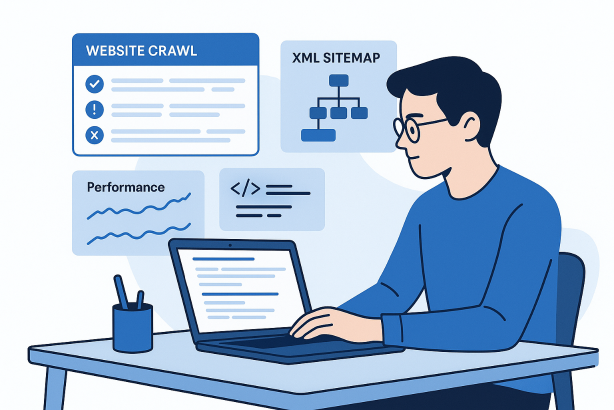

Technical SEO tools are essential when you need to understand how search engines actually access, interpret, and prioritize your website. Rankings do not usually drop because of one dramatic error. More often, they erode because small technical issues stack up over time: pages become harder to crawl, index signals get mixed, templates bloat, redirects multiply, and important content sits too deep in the architecture.
This step-by-step tutorial shows you how to use technical SEO tools in a practical workflow, not as a random collection of reports. The goal is simple: find what matters, fix the root cause, and create a monitoring routine that keeps your site healthy. Whether you manage a content-heavy blog, an ecommerce store, or a service site, the process is the same. Start with a baseline, crawl the site, verify indexability, review performance, validate markup, and turn all of that into a prioritized action plan.
If you have ever felt overwhelmed by exports, dashboards, and conflicting recommendations, this guide will help you simplify your process. Good technical SEO is not about collecting more data. It is about using the right data in the right order.
What technical SEO tools should help you do
The best technical SEO tools help you answer five operational questions:
- Can search engines discover the page?
- Can they crawl it efficiently?
- Should they index it?
- Does the page load and render well enough to be usable?
- Are the signals around the page consistent?
That means your tool stack does not need to be huge. It needs to cover crawling, indexation checks, performance testing, structured data testing, and ongoing monitoring. If a tool cannot help you make a decision or confirm a fix, it is noise.
| Technical goal | What to check | Tool type |
|---|---|---|
| Site discovery | Internal links, orphan pages, click depth, crawl paths | Website crawler |
| Indexability | Noindex, robots directives, canonicals, status codes | Search console plus crawler |
| Sitemap hygiene | Canonical URLs only, no redirects, no errors, current coverage | XML sitemap validator and crawler exports |
| Performance | Template-level speed issues, render blocking assets, image weight | Page speed testing tools |
| Enhanced search signals | Schema accuracy, required fields, consistency by template | Structured data testing tools |
| Ongoing maintenance | New errors, broken links, unexpected directives, deployment regressions | Monitoring platform |
Before you open any technical SEO tools
A strong technical SEO audit starts before the first crawl. You need context, access, and a clear scope. Without that, even excellent tools can lead you toward low-value fixes.
- Define the site sections that matter most: blog, product pages, collections, service pages, help content, or location pages.
- Get access to search console, your CMS, and any analytics platform your team uses.
- Locate your robots.txt file and all live XML sitemaps.
- List important templates so you can spot sitewide issues faster.
- Know whether the site uses heavy JavaScript, faceted navigation, parameters, or multiple subdomains.
- If possible, confirm whether server logs are available for log file analysis.
This prep work matters because technical SEO tools often surface symptoms first. To find causes, you need to understand how the site is built. A few broken pages rarely matter. A broken template usually does.
Step 1: Build a baseline with technical SEO tools
Start by documenting the current state of the site. This gives you a reference point before you change anything and helps you avoid chasing issues that are old, expected, or already known.
Review search console coverage and page indexing reports first. Look for excluded URLs, alternate pages with canonical tags, soft 404 patterns, redirected pages, and blocked resources. Then review the performance of your major page groups so you can connect technical findings to business priorities. You do not need to force a perfect spreadsheet. You need a clean baseline.
- Total indexed pages compared with pages submitted through XML sitemaps
- Top-performing page templates and sections
- Recent crawl errors or sudden spikes in exclusions
- Pages with impressions but weak click-through because of title or snippet issues
- Known migrations, redesigns, or URL structure changes
This first step prevents one common mistake: treating every technical issue as equally urgent. A blocked filter URL is not the same as a noindexed service page. Baselines create priorities.
Step 2: Crawl the entire website like a search engine
Next, run a full crawl with a website crawler. This is where technical SEO tools start earning their keep. A crawl shows how pages connect, what status codes they return, how deep they sit in the structure, and which directives shape indexability.
Use a crawl configuration that reflects reality. Include the relevant subdomains if they are part of the organic search experience. Capture canonicals, meta robots, hreflang if applicable, headings, title tags, and internal linking data. If the site relies heavily on JavaScript, test both rendered and non-rendered states where possible.
What to review first in the crawl
- Status codes: 200 pages should dominate key sections. Review 3xx, 4xx, and 5xx patterns by template.
- Redirect chains: multiple hops waste crawl activity and slow users down.
- Broken internal links: these are easy to miss and easy to fix.
- Duplicate URLs: parameter variants, trailing slash inconsistencies, uppercase issues, and alternate paths.
- Click depth: important pages should not require excessive clicks from strong entry points.
- Orphan pages: if a page is in a sitemap but not linked internally, discovery and authority flow suffer.
When reviewing crawl data, group findings by template or directory. That is how you separate one-off defects from system-level problems. A technical SEO audit becomes actionable when it moves from page lists to patterns.
Step 3: Check indexability, robots directives, and canonicals
Once you know what exists, determine which URLs can and should be indexed. This is where many sites send mixed signals. A page may return a 200 status code, appear in a sitemap, and still be effectively sidelined by a noindex directive, a blocked resource, or a conflicting canonical.
Compare four states for important URLs: crawled, crawlable, indexable, and canonicalized. They are not the same thing. A page can be crawlable but not indexable. It can also be indexable but pointing authority somewhere else through a canonical tag.
- Pages accidentally set to noindex
- Canonical tags pointing to non-equivalent pages
- Canonical chains or self-conflicts
- Important pages blocked by robots rules or blocked assets that affect rendering
- Duplicate pages left open for indexation without a clear canonical strategy
If you find widespread indexability issues, resist the urge to fix pages one by one. Update the template logic or CMS rules instead. Technical SEO tools help you locate the footprint. The real win comes from fixing the source.
Step 4: Audit XML sitemaps and discovery paths
Your XML sitemap should support discovery and reinforce your preferred index set. It should not act as a dumping ground for every URL the CMS can generate. High-quality sitemaps contain indexable, canonical, live URLs that deserve to be crawled.
Cross-check your XML sitemap against crawl data. Remove redirected URLs, 4xx URLs, non-canonical versions, and noindexed pages. Then review sitemap segmentation. Large sites often benefit from separate sitemaps for key content types because they make maintenance and diagnostics easier.
- Ensure each sitemap returns only live 200 URLs
- Exclude parameter pages unless there is a deliberate strategy behind them
- Keep canonical destinations in the sitemap, not their alternates
- Review whether newly published content is reaching the sitemap quickly enough
Also remember that sitemaps do not replace internal linking. If a page only exists in an XML sitemap and nowhere in the navigational structure, search engines receive a weak signal about its importance.
Step 5: Evaluate internal linking and site architecture
Technical SEO tools are especially useful for internal linking because architecture problems are hard to spot manually. A site can look polished from the front end and still bury valuable pages several layers deep, dilute equity across duplicates, or over-prioritize utility pages.
Start with click depth, orphan pages, and internal link counts. Then review category hubs, breadcrumbs, related links, and pagination patterns. Your objective is not to make every page one click away. It is to make sure important pages are consistently discoverable and contextually reinforced.
- Bring high-value pages closer to authoritative hubs
- Use internal links to connect related content clusters
- Reduce links to low-value duplicates or faceted traps
- Make navigation labels clear and stable across templates
- Check whether breadcrumb trails reflect the preferred site hierarchy
This step is also where crawl budget concerns begin to make sense. Crawl budget is rarely the first problem on small sites, but wasted paths, endless combinations, and weak internal prioritization can create inefficient crawling on larger builds.
Step 6: Test page speed and rendering on critical templates
Performance work becomes more useful when you test representative templates instead of isolated URLs. Choose your key page types and review them with page speed optimization tools. Look at mobile and desktop behavior, but prioritize the experience most relevant to your audience.
Focus on patterns that affect many pages: oversized images, uncompressed assets, render-blocking scripts, layout shifts caused by late-loading elements, and unnecessary third-party requests. Technical SEO tools can show the symptom, but developers usually need template-level insight to fix the cause.
Where speed reviews often go wrong
- Optimizing one page while the template remains unchanged
- Chasing every warning instead of the heaviest bottlenecks
- Ignoring mobile rendering on pages that attract mobile traffic
- Testing only cached or ideal conditions and assuming the result is universal
Performance is not separate from technical SEO. If important pages are slow to render, difficult to interact with, or weighed down by front-end bloat, that affects crawl efficiency, user behavior, and the consistency of your site experience.
Step 7: Validate structured data with technical SEO tools
Structured data should clarify page meaning, not decorate it. Use structured data testing tools to validate whether schema is present, eligible, and consistent across templates. Review your primary page types individually: articles, products, FAQs, local pages, and organizational markup.
Look for missing required fields, invalid nesting, conflicting entity types, and markup that no longer matches the visible page content. If a product page shows one thing to users and another in schema, that is a quality problem. The same applies when old markup lingers after a redesign.
- Check one representative URL per major template first
- Confirm the visible content supports the markup claims
- Remove schema that is technically present but strategically unnecessary
- Document which templates own which schema types
Structured data is often treated as a one-time implementation. In reality, it should be reviewed whenever templates change, content modules move, or fields are renamed in the CMS.
Step 8: Review server behavior and log-level signals if available
If you can access server logs, use log file analysis to see how bots actually behave. This is one of the clearest ways to validate crawl budget concerns because it shows where crawl activity is really going rather than where you assume it is going.
Look for repeated hits on parameter URLs, thin archive pages, old redirected paths, or sections that should not absorb much attention. Also review whether critical sections are being crawled frequently enough after updates. On large sites, this can reveal substantial inefficiencies in internal linking and URL management.
If logs are not available, do not stop the audit. Use your crawler, search console, and sitemap comparisons as strong substitutes. Direct log data is valuable, but the absence of it should not prevent solid technical decisions.
Step 9: Turn findings into a prioritized action plan
The point of technical SEO tools is not to produce a bigger issue list. It is to help you decide what gets fixed first. A practical prioritization model balances impact, scale, and implementation effort.
| Issue type | Why it matters | First action |
|---|---|---|
| Important pages set to noindex | Prevents indexing of revenue or lead-driving content | Correct template or CMS directive immediately |
| Broken canonicals | Splits signals or points authority to the wrong destination | Repair canonical logic by template |
| Redirect chains | Creates crawl waste and weaker user experience | Link directly to final destinations |
| Bloated XML sitemap | Sends noisy discovery signals | Restrict sitemap to canonical indexable URLs |
| Slow core templates | Affects many pages at once | Address the heaviest shared assets and scripts |
| Orphan pages | Weak discovery and poor authority flow | Add contextual links from relevant hubs |
When presenting recommendations to developers or stakeholders, frame them in business language. Instead of saying there are 1,200 duplicate URLs, explain that the site is wasting crawl resources and sending weaker canonical signals than necessary. Clarity speeds up implementation.
Step 10: Build a recurring technical SEO tools workflow
Technical SEO is not finished after one audit. Sites change constantly. New templates launch, plugins update, redirects accumulate, and content teams create pages faster than governance can keep up. That is why the best use of technical SEO tools is recurring, not reactive.
- Weekly: review crawl errors, sudden indexation changes, and critical page status.
- Monthly: run a targeted crawl on important sections and compare against the previous baseline.
- Quarterly: perform a broader technical SEO audit covering sitemaps, internal linking, performance, and markup.
- After major releases: recheck templates, canonicals, robots directives, and structured data.
A simple rhythm prevents small regressions from becoming large visibility problems. It also makes technical SEO easier to explain internally because the process becomes operational instead of occasional.
How to choose technical SEO tools without overcomplicating your stack
Many teams buy too many tools before they build a workflow. Start with the jobs you need done. Can you crawl the site comprehensively? Can you verify indexability? Can you validate performance and schema? Can you monitor changes over time? Those capabilities matter more than a long feature list.
As you evaluate options, look for:
- Reliable crawling and clear exports
- Strong filtering by template, directory, and status code
- Actionable monitoring rather than vanity reporting
- Enough visibility to catch issues early without burying the team in alerts
- A workflow that supports prioritization, not just discovery
A lean stack used consistently is usually more effective than a crowded stack used occasionally. Technical SEO tools should reduce friction, not add another layer of it.
Common mistakes when using technical SEO tools
- Confusing crawl data with index data: a page found by a crawler is not automatically indexed.
- Fixing URLs instead of templates: recurring technical issues usually require system-level changes.
- Auditing only a sample: a small spot check can miss directory-wide problems.
- Ignoring JavaScript behavior: rendered experiences can differ dramatically from raw HTML.
- Submitting messy sitemaps: they should reinforce your preferred index set, not contradict it.
- Skipping retests after deployment: no fix is complete until it is verified.
- Prioritizing volume over impact: the largest report is not always the most important issue.
If you avoid these mistakes, your technical SEO audit will become faster, clearer, and far more useful to the people who actually need to implement changes.
A simpler way to manage your workflow
If your current process depends on scattered spreadsheets, disconnected exports, and too many browser tabs, it may be time to tighten the system. Rabbit SEO can help you create a cleaner routine for auditing pages, tracking issues, and focusing on fixes that deserve attention first. Explore Rabbit SEO if you want a more repeatable way to stay on top of technical work without turning every review into a fire drill.
Conclusion: use technical SEO tools as a repeatable operating system
The most effective technical SEO tools do more than surface errors. They help you build a dependable process: establish a baseline, crawl the site, validate indexability, clean up your XML sitemap, strengthen internal linking, test performance, review structured data, and monitor the outcome. That sequence matters.
If you treat technical SEO tools as a repeatable operating system rather than a one-time checklist, you will make better decisions and catch problems earlier. In practice, that is what strong technical SEO looks like: fewer surprises, clearer priorities, and a site that stays easier to crawl, index, and trust over time.