
The biggest hot trend in technical SEO tools right now is not simply better crawling, bigger reports, or longer checklists. It is the move from occasional auditing to continuous technical visibility. That shift matters because modern websites change constantly. Templates get updated, JavaScript frameworks evolve, redirects stack up, product pages cycle in and out, and small technical issues can spread across thousands of URLs before anyone notices.
For years, many teams treated technical SEO as a quarterly project: run a crawler, export a spreadsheet, fix the most obvious issues, and revisit later. That model is no longer enough for fast-moving websites. The new standard is ongoing monitoring, faster prioritization, and clearer connections between technical findings and search performance. In other words, the strongest technical SEO tools are becoming less like static audit software and more like operational systems for site health.
That change is especially relevant in the SEO News category because it reflects how the market is maturing. Businesses are not just asking, “Can this tool find errors?” They are asking, “Can this tool help us catch problems before they hurt traffic, explain what matters first, and make technical SEO part of day-to-day decision-making?”
Why technical SEO tools are changing now
Search performance has always depended on technical foundations, but the number of moving parts has grown. A site can be crawlable and still underperform because rendering breaks, structured data becomes invalid, key pages load poorly on mobile, or internal links shift in ways that weaken discovery. One-off audits still have value, but they often capture only a moment in time.
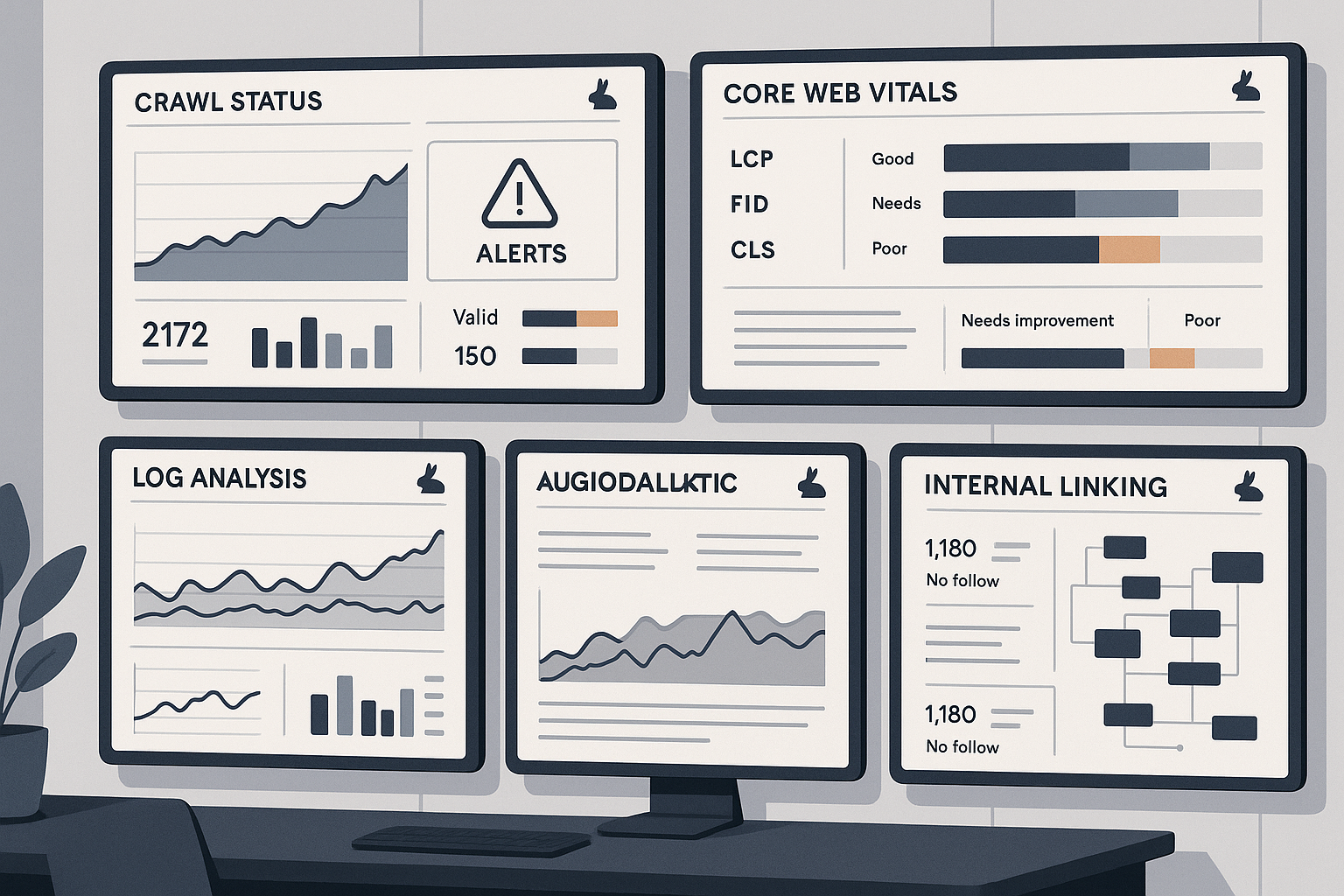
That is why SEO monitoring has become central. Teams want alerts when noindex tags appear unexpectedly, canonicals change at scale, robots directives block important folders, status codes spike, or critical templates become slower after a release. A crawler is still essential, but the hot trend is the combination of crawl analysis, monitoring, and workflow visibility.
There is also a practical reason behind this shift: many organizations do not struggle because they lack data. They struggle because they lack prioritization. Huge exports are easy to generate. Clear action paths are much harder. The best modern platforms help teams understand which issues affect revenue-driving sections, which templates are causing widespread waste, and which fixes should be escalated immediately.
Technical complexity is no longer limited to enterprise sites
This trend is not just for massive publishers or international retailers. Mid-sized brands now manage content hubs, faceted navigation, multilingual sections, headless builds, third-party scripts, and complex CMS behavior. Even a relatively small site can create technical patterns that deserve ongoing observation rather than a once-a-quarter review.
As a result, buyers are becoming more selective about the technical SEO tools they adopt. They want tools that fit real workflows, not just diagnostic wish lists.
The new technical SEO tools stack: what matters most
If you look at how strong teams are evaluating their stack today, a few capabilities stand out. A useful setup should help you discover, validate, prioritize, monitor, and communicate. That sounds basic, but many products still do only part of that job well.
| Capability | Why it matters | What to look for |
|---|---|---|
| Site crawling | Finds broken links, redirects, orphaned pages, duplicate patterns, and indexation risks | Flexible crawl settings, segmentation, scheduled crawls, and clear issue grouping |
| Rendering checks | Shows whether search engines can access important content and links on modern sites | JavaScript support, rendered HTML comparison, blocked resource detection |
| Log file analysis | Reveals how bots actually crawl the site, not just how the site is structured | Bot filtering, crawl frequency trends, waste detection, URL-level analysis |
| Performance monitoring | Tracks page experience issues that can affect usability and search visibility | Template-level insights, change tracking, integration with speed diagnostics |
| Alerting | Helps teams catch problems quickly instead of waiting for the next audit | Custom thresholds, scheduled notifications, issue ownership |
| Reporting | Makes technical work easier to explain to stakeholders | Clear dashboards, export options, prioritization views, trend reporting |
This is the real market movement: not one super-report that tries to say everything, but a smarter operating layer that helps teams stay ahead of technical regressions.
Site audit tools still matter, but context matters more
Site audit tools remain foundational. They are still the fastest way to surface duplicate title tags, redirect chains, broken internal links, thin template sections, canonical conflicts, soft 404 patterns, and other common issues. But the hot trend is not replacing audit tools. It is putting them into context.
For example, a crawl may show thousands of 3xx URLs in internal links. That is useful, but the real question is whether those links are concentrated on key templates, whether bots are spending meaningful crawl budget on them, and whether they are part of a larger architecture problem. Modern teams want audit findings connected to actual site behavior and business importance.
Log file analysis is moving from specialist use to mainstream value
Log file analysis used to feel like a specialist discipline. Today, more teams see it as a core part of technical investigation. That makes sense. Crawl data shows the site you present. Log data shows the site bots are actually requesting. When those views do not align, opportunities and risks become much clearer.
Logs can help identify sections that absorb bot attention without contributing much value, important pages that are crawled less than expected, legacy URLs that still consume resources, and technical dead ends that are invisible in a surface-level audit. For larger or frequently updated sites, this is no longer a nice extra. It is often the difference between guessing and knowing.
JavaScript SEO is now a standard evaluation point
Another reason technical SEO tools are evolving is the growing importance of JavaScript SEO. Many sites depend on client-side rendering, hydration, or delayed content injection. If core content, links, metadata, or structured data are not reliably available to search engines, visibility can suffer even when a page looks fine to users.
That means tooling needs to support rendered inspections, resource checks, and comparison between raw source and rendered output. Teams also need clarity on whether internal links are discoverable without interaction, whether lazy-loaded elements expose essential content, and whether structured data remains valid after rendering.
This is one area where old-school checklists can mislead. A page may pass a basic crawl and still fail at the rendering layer. That is why deeper validation is becoming part of the standard technical stack.
What to look for when choosing technical SEO tools in 2026
The market is crowded, and many platforms promise the same outcomes. In practice, the best choice depends on your site type, team structure, and release pace. Still, a few buying principles are becoming more important.
1. Prioritization over volume
A tool that finds everything but helps you fix nothing is not a strong investment. Look for platforms that can segment issues by template, directory, page type, or strategic priority. A list of ten thousand warnings is less useful than a short view of what is affecting your most important sections first.
2. Monitoring over occasional snapshots
If your site changes weekly, monthly audits are too slow. Look for scheduling, alerts, baseline comparisons, and trend views. The point is to catch regressions early, not to discover them after a traffic drop forces a reactive audit.
3. Clear support for indexation issues
Indexation issues are still among the most expensive technical problems because they can hide in plain sight. Valuable pages may be excluded due to canonicals, noindex directives, duplicate clusters, crawl traps, weak internal linking, or low-value parameter combinations. The right tool should make it easier to separate intentional exclusions from unexpected ones.
4. Practical support for developers and marketers
Technical SEO rarely succeeds if a tool only works for one team. Reports should be understandable enough for marketers while still detailed enough for developers. Useful platforms make it easier to convert issues into tickets, explain why a fix matters, and verify whether implementation actually resolved the problem.
5. Coverage across templates, not just sample URLs
Isolated page checks are useful, but template patterns usually create the biggest wins. If your category pages share a canonical problem or your blog template introduces rendering delays, you need tooling that can identify those patterns at scale. This is where strong crawl analysis becomes much more valuable than URL-by-URL inspection.
The hottest use cases teams are focusing on now
As the trend toward continuous technical management grows, several use cases are receiving more attention than before.
- Release monitoring: comparing technical health before and after site deployments.
- Template diagnostics: finding issues repeated across product, category, article, or location pages.
- Internal linking reviews: checking whether important pages remain discoverable and well supported.
- Render validation: confirming that search engines can access the same critical elements users see.
- Performance checks: tracking template-level changes through Core Web Vitals tools and related diagnostics.
- Bot behavior analysis: using logs to understand crawl waste and missed opportunities.
None of these are entirely new. What is new is how often teams want them available inside regular operations rather than inside special projects.
Common mistakes when evaluating technical SEO tools
Because the category is evolving quickly, it is easy to choose based on surface features instead of fit. A few mistakes show up repeatedly.
Buying based on the biggest crawl, not the best workflow
Scale matters, but not at the expense of usability. If the interface makes issue triage slow or reporting hard to share, the tool may become shelfware.
Ignoring monitoring and alerting
A powerful crawler without alerting can still leave you reactive. Continuous visibility is a core part of the current trend, so this should be a major evaluation point.
Overlooking segmentation
If you cannot separate branded content, product pages, location pages, and support content, prioritization becomes much harder. Segmentation is not a luxury feature anymore.
Treating all warnings as equally important
Not every issue deserves immediate action. Strong tools help distinguish cosmetic imperfections from problems that affect crawling, rendering, indexation, or key page experience.
Forgetting stakeholder communication
Technical work often succeeds or fails based on communication. Choose platforms that make it easier to create concise summaries for leadership, technical details for developers, and progress views for SEO teams.
How to build a practical weekly workflow around technical SEO tools
The best technical SEO tools become more valuable when they support a simple operating rhythm. For many teams, that means a weekly process like this:
- Review alerts and major changes across status codes, directives, canonicals, rendering, and performance.
- Run focused crawls on priority sections instead of relying only on broad site-wide scans.
- Check indexation patterns in Search Console and compare them against crawl findings.
- Review logs for bot activity changes on important directories.
- Validate recent releases to make sure deployments did not create new blockers.
- Turn the highest-impact issues into action items with clear owners and deadlines.
This kind of cadence keeps technical SEO close to real site operations. That is the true value of the trend: not more dashboards for their own sake, but faster detection and cleaner execution.
Where Rabbit SEO fits
If your team wants a more practical way to stay on top of technical SEO, Rabbit SEO can help simplify the workflow. Instead of treating technical health as a periodic cleanup exercise, you can build a more consistent review process around the issues that matter most to search visibility and site growth.
Explore Rabbit SEO if you want a platform that supports smarter monitoring, clearer prioritization, and easier collaboration around technical fixes. For in-house teams, consultants, and growing brands, that can mean less time buried in exports and more time solving the right problems.
Final take: technical SEO tools are becoming operational, not occasional
The hot trend in technical SEO tools is not just better diagnostics. It is the move toward ongoing technical oversight: continuous checks, clearer prioritization, stronger rendering validation, more use of log data, and tighter alignment between technical findings and business priorities.
That is good news for teams that want technical SEO to be more than a backlog of disconnected warnings. The right stack now helps you detect issues earlier, focus on the pages that matter most, and turn technical SEO into a consistent operating discipline. In a search environment where websites change constantly, that is exactly what modern technical SEO tools should do.