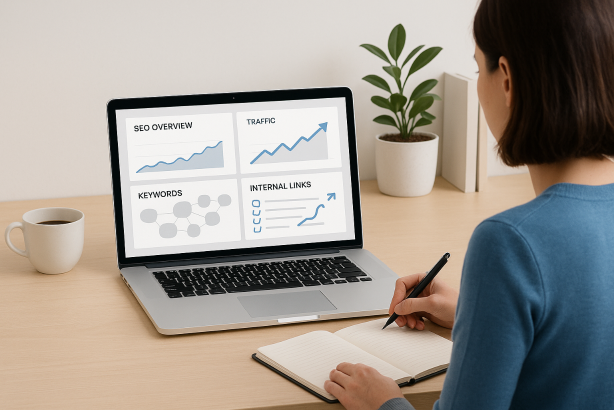

Learning how to optimize web pages for SEO is no longer about placing a keyword in a title, adding a few headings, and calling the job done. The pages that perform now are sharper, faster, and more intentional. They match search intent early, deliver information in a scannable structure, support the user journey, and connect cleanly with the rest of the site.
That shift is one of the biggest current trends in SEO. Search results are increasingly shaped by intent, usability, and topical relevance. In practical terms, that means every page needs to work harder. It has to be easy to understand, technically sound, and commercially useful without feeling forced.
This tutorial shows you how to optimize web pages for SEO using a workflow you can apply to blog posts, service pages, category pages, and core landing pages. If you want a process that improves visibility while keeping the page useful for real visitors, start here.
Why the modern approach to on-page SEO looks different
The hot trend in SEO is not publishing longer content for the sake of it. It is building pages that answer faster, organize information more clearly, and deserve visibility because they satisfy the searcher better than generic alternatives. Strong pages today usually combine four traits:
- Intent-first structure that addresses the query quickly.
- Topical completeness without rambling or filler.
- Clear page experience SEO signals such as speed, mobile usability, and stable layout.
- Contextual relevance built through internal links, supporting content, and consistent page focus.
If you keep those four traits in view, optimization decisions become much easier. Instead of asking how many times to repeat a phrase, you start asking whether the page solves the exact problem behind the query and whether the site gives that page enough support to rank.
How to optimize web pages for SEO: start with intent and SERP mapping
Before editing a single word, identify what the searcher wants and what the search results already reward. This is the foundation of search intent optimization.
Look at the type of pages ranking
Search your primary keyword and study the current results. Are the top pages tutorials, product pages, comparison pages, category pages, or opinion pieces? Google is showing you the preferred page type for that query. If you build the wrong page type, even strong writing can struggle.
Look at the content format
Then study the format. Do the best pages use step-by-step instructions, checklists, definitions, examples, tables, or FAQs? Match the useful patterns without copying them. If searchers clearly want a tutorial, give them a tutorial. If they want a quick answer and decision help, structure for that experience.
Look at the angle
The angle is what makes the page feel current. For many SEO topics, the winning angle today is practical and current rather than abstract. Searchers want what works now, what to fix first, and what mistakes to avoid. Your page should reflect that expectation from the opening section onward.
A simple rule helps here: if the page does not satisfy intent in the first screen or two, later optimization will not save it.
Choose one primary keyword and a tight supporting cluster
Every page needs one clear main target. In this article, the primary keyword is how to optimize web pages for SEO. That phrase defines the page. Supporting phrases expand coverage, clarify subtopics, and help the content reflect natural search language.
Good supporting keywords for a page like this include terms such as on-page SEO checklist, title tag optimization, internal linking strategy, schema markup for SEO, and content optimization tips.
The goal is not to force these phrases into every paragraph. The goal is to use them where they naturally belong while keeping the page focused on one main topic. That helps avoid keyword cannibalization, where multiple pages compete for the same query because they were never clearly differentiated.
- Use one primary keyword per page.
- Add secondary keywords that support real subtopics.
- Remove sections that belong on a different page.
- Make sure the page can be summarized in one sentence.
If you cannot explain the page focus clearly, the page is probably trying to rank for too much at once.
Build a page structure that earns attention early
Strong structure is one of the easiest wins in on-page SEO. It improves readability, helps search engines understand the page, and creates more opportunities for relevant subtopics to rank.
Start with a focused H1 and a direct introduction
Your H1 should make the topic obvious. The introduction should confirm the problem, the promise, and the page type quickly. Avoid slow openings. For tutorial content, readers want to know what they will learn and how practical the advice will be.
Break the topic into clear subtopics
Use H2s for major steps and H3s for details. Each section should answer one meaningful question. This is better for scanning and better for search engines than large, unfocused blocks of text.
Front-load value
One of the most useful content optimization tips is to place critical information earlier than you think. Definitions, frameworks, quick wins, and important warnings should appear near the top. Many users will scan before they commit to reading the full page.
A practical tutorial page often follows this structure:
- What the topic is and why it matters now
- The process step by step
- Examples, checklists, or comparison tables
- Common mistakes
- Action steps and next move
That layout works because it supports both deep readers and quick scanners.
Optimize titles, URLs, and meta elements with intent in mind
These elements still matter because they shape relevance, clarity, and click appeal. Good optimization here is simple, disciplined, and user-focused.
Title tag optimization
Your title tag should include the primary keyword naturally, but clarity matters more than stuffing variations into it. A strong title tag usually does three things:
- Names the topic clearly
- Hints at the benefit or angle
- Feels readable in search results
For tutorial content, formulas like these work well:
- How to optimize web pages for SEO: step-by-step guide
- How to optimize web pages for SEO in 2026: what works now
- How to optimize web pages for SEO: practical checklist for better rankings
URL best practice
Keep URLs short, descriptive, and close to the core topic. Avoid unnecessary dates, filler words, and extra folders unless they support site architecture. A clean slug is easier to understand and easier to maintain.
Meta description best practices
Meta descriptions do not need to carry ranking pressure by themselves, but they do influence click quality. Good meta description best practices include summarizing the benefit, mentioning the page type, and keeping the language direct. Think of the meta description as ad copy for the page, not as a place to list keywords.
Write content that is comprehensive without becoming bloated
Many pages fail because they confuse depth with length. A page can be long and still weak if it repeats the same point, wanders off topic, or hides the answer inside generic paragraphs.
Cover the real decision points
Ask what the user needs to know to complete the task. For this topic, that includes keyword targeting, headings, content structure, internal links, technical basics, and conversion elements. If a section does not help the user do the job better, it may not belong on the page.
Use examples, lists, and tables when they improve clarity
Formatting is part of optimization. Well-placed lists and tables reduce friction, help users scan, and often make the page more useful than competitor pages that rely on dense paragraphs alone.
Keep paragraph discipline
Shorter paragraphs are easier to process on mobile. That does not mean every paragraph must be tiny, but it does mean each one should carry one idea cleanly. If a paragraph does several jobs at once, split it.
Comprehensive content should feel efficient. Readers should never have to search through the page to find the answer they came for.
Use on-page elements that improve understanding
Some of the best optimization wins come from page elements outside the main paragraph text. These elements add clarity, relevance, and context when used well.
Headings and semantic organization
Headings should describe the content that follows, not just act as visual breaks. Strong headings improve accessibility, comprehension, and topical signals.
Images and alt text
Use images when they add explanatory value, such as screenshots, diagrams, comparison visuals, or process flows. Alt text should describe the image accurately and naturally. It is not a dumping ground for keywords.
Tables, bullet lists, and summaries
If a page contains steps, comparisons, requirements, or workflows, structured formats often outperform long prose. They make the information easier to use, which is a real SEO advantage.
Schema markup for SEO
Schema markup for SEO helps search engines understand page meaning more clearly. The exact markup depends on the page type. For tutorial content, Article or FAQ schema may be relevant when the content truly supports it. For product, review, service, or organization pages, other schema types may fit better.
The important point is not to add markup mechanically. Use schema that matches the visible content on the page and the page’s real purpose.
Strengthen your internal linking strategy
A page rarely ranks on its own. It performs better when it sits inside a strong topical network. That is why internal linking strategy remains one of the highest-value on-page activities.
Link from relevant supporting pages
If you want one page to rank for a key term, link to it from related articles and cornerstone pages. Those links help reinforce context and give the target page stronger thematic support.
Use descriptive anchor text naturally
Anchor text should tell the reader what they will find after the click. Exact-match anchors can be useful in moderation, but repetitive or awkward anchor text weakens the reading experience.
Link out to deeper resources when appropriate
Good internal links do not only point upward to category pages or downward to blog posts. They should support the next logical step for the user. That might mean linking to a checklist, a service page, a guide on technical SEO, or a related tutorial.
When internal linking is done well, users navigate more easily and search engines understand which pages matter most.
Improve page experience SEO and technical basics
Even excellent copy can underperform if the page experience is weak. Technical quality supports discoverability, usability, and trust.
Check indexability and crawl status
Make sure the page can actually be discovered and indexed. Confirm it is not blocked accidentally, canonicalized to the wrong URL, or buried too deeply in the site structure.
Improve speed and layout stability
Page experience SEO includes loading performance, visual stability, and mobile usability. Compress oversized images, reduce unnecessary scripts, and make sure the page does not shift around while loading. Clean performance will not replace relevance, but poor performance can absolutely hold a page back.
Make mobile readability easy
Most pages are evaluated and consumed in mobile contexts first. Use readable text sizes, clear spacing, tappable elements, and layouts that do not trap the user in intrusive popups or cluttered banners.
Protect the page from avoidable technical errors
- Broken internal links
- Duplicate title tags
- Thin or near-duplicate pages
- Image files with no descriptive context
- Orphan pages with no internal links
Technical quality makes your content easier to trust and easier to rank.
Align optimization with conversion, not just ranking
One of the most practical modern shifts in SEO is the move from traffic-only thinking to outcome-focused optimization. A well-optimized page should not only attract visits. It should move the visitor toward the next useful action.
That does not mean covering the page in aggressive calls to action. It means matching the conversion path to the intent of the page. On a tutorial page, sensible actions might include reading a related guide, starting a trial, requesting a demo, or exploring a service page. On a commercial page, the next step may need to appear much earlier.
SEO and conversion work best together when the page feels coherent. The content solves the problem, the navigation supports the next step, and the CTA fits the user journey rather than interrupting it.
On-page SEO checklist for every important page
| Element | What to check | Best practice |
|---|---|---|
| Primary keyword | One clear target topic | Match the page to a single main query |
| Search intent | Type, format, and angle of ranking pages | Build the page around the dominant intent |
| Title tag | Clarity and relevance | Use natural wording and clear benefit |
| Headings | Logical structure | Use H2s and H3s to organize real subtopics |
| Content depth | Coverage of key decision points | Be complete without adding filler |
| Internal links | Support from related pages | Link contextually with useful anchor text |
| Schema | Page type alignment | Use markup that matches visible content |
| Page experience | Speed, mobile usability, layout stability | Remove friction and improve readability |
| CTA | Next step for the user | Make it relevant to page intent |
Common mistakes when optimizing web pages
- Targeting too many keywords on one page and creating a diluted topic.
- Writing for formulas instead of users, which makes the page feel generic.
- Ignoring the current SERP and publishing the wrong page type.
- Overusing exact-match anchor text in internal links.
- Adding sections just to make the page longer rather than more useful.
- Forgetting technical basics such as indexability, speed, and mobile readability.
- Leaving the page disconnected from the rest of the site’s topical structure.
If you fix these mistakes, many pages improve before you even make major content changes.
Turn this workflow into a repeatable system
Once you understand how to optimize web pages for SEO, the real advantage comes from applying the process consistently across your site. That is where a structured workflow matters. Audit your important pages, map each one to a clear intent, identify missing internal links, tighten on-page structure, and review technical friction regularly.
If you want to make that process faster and more consistent, Rabbit SEO is a smart next step. Use it to bring more order to your optimization workflow, prioritize fixes, and keep your on-page improvements moving in the right direction.
Conclusion: how to optimize web pages for SEO in a way that lasts
The best answer to how to optimize web pages for SEO today is not a trick, a template, or a single ranking factor. It is a disciplined approach that combines intent, structure, relevance, usability, and conversion thinking. When a page is built for the query, easy to navigate, technically sound, and supported by the rest of the site, it has a much better chance of earning durable visibility.
Start with the pages that matter most to your business. Tighten the title, improve the structure, deepen the useful sections, strengthen internal links, and remove technical friction. Done well, that process turns ordinary pages into assets that rank better and work harder.