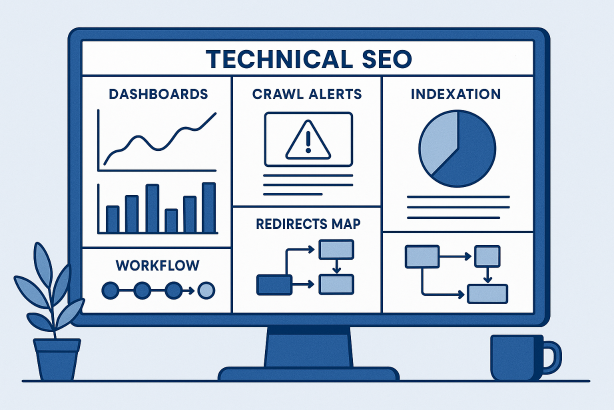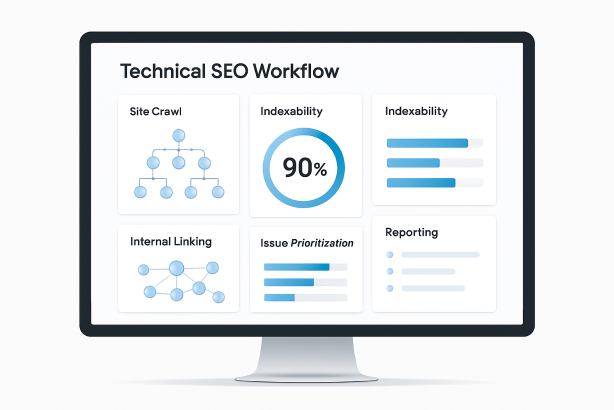

Technical SEO often breaks down for a simple reason: the work is scattered. One team exports crawl data, another checks search console coverage, developers work from separate tickets, and reporting lives in spreadsheets that quickly go out of date. Good SEO software helps solve that operational problem. It does more than surface errors. It gives you a repeatable workflow for finding issues, deciding what matters, assigning work, and validating the outcome after release.
That is the real value of SEO software in a technical SEO program. It creates a system. Instead of reacting to isolated problems, you build a process for crawl analysis, indexability checks, internal linking reviews, quality assurance, and recurring monitoring. The result is not just a cleaner audit. It is better execution.
In this guide, we will walk through a practical workflow you can use whether you manage one site or a large portfolio. The focus is technical SEO, but the structure is intentionally commercial and operational: how to move from raw diagnostics to shipped improvements.
Why SEO software matters in technical SEO
Technical SEO is not a one-time checklist. Sites change constantly through content launches, template updates, migrations, CMS edits, app releases, navigation changes, and tracking scripts. Every change can affect crawlability, renderability, canonicalization, or indexation. That is why a workflow matters more than any single report.
Strong SEO software supports technical work in four ways:
- Discovery: it finds issues across templates, directories, subdomains, and page types.
- Prioritization: it helps separate critical blockers from low-value cleanup.
- Execution: it gives teams a structured way to turn findings into developer-ready tickets.
- Validation: it makes it easier to confirm whether a fix actually resolved the issue.
Without that framework, technical SEO becomes noisy. Teams spend time arguing about symptoms, duplicating checks, or fixing edge cases while larger structural problems remain untouched.
The SEO software workflow at a glance
| Stage | Main objective | Typical output |
|---|---|---|
| 1. Define scope | Align SEO work with business and site goals | Audit scope, page groups, success metrics |
| 2. Build a baseline | Understand the current technical state of the site | Site crawl, sitemap comparison, issue inventory |
| 3. Review architecture | Evaluate discoverability and authority flow | Internal linking and depth findings |
| 4. Validate page signals | Check technical elements at scale | Status, canonicals, directives, schema, templates |
| 5. Prioritize issues | Focus on changes with the highest practical value | Action roadmap by severity and effort |
| 6. Create tickets | Translate analysis into implementation | Developer-ready tasks with acceptance criteria |
| 7. QA after release | Confirm the fix and catch side effects | Post-launch checks and validation notes |
| 8. Report and repeat | Keep technical SEO operational | Recurring reviews, alerts, stakeholder updates |
1. Start with scope, page groups, and measurement
Before you run a single crawl, define what the audit is meant to improve. Technical SEO work is much easier to prioritize when the site is segmented into meaningful groups. Those groups might include product pages, category pages, blog content, help articles, location pages, or a separate documentation subdomain.
Your SEO software workflow should answer three practical questions at the start:
- Which sections of the site matter most for organic growth or revenue?
- Which page types are expected to be indexed, and which should stay out of the index?
- Which signals will show whether the fixes had an impact?
For technical SEO, measurement usually starts with operational indicators rather than final business outcomes. Examples include changes in indexability, reduced error counts, stronger internal linking to key templates, or better crawl coverage across high-value directories. If you do not establish that baseline first, every later recommendation feels subjective.
2. Build a crawl and indexability baseline
The backbone of technical SEO is a reliable site crawl. This is where SEO software earns its place. A strong crawl shows how search engines are likely to encounter the site, where important pages are buried, and where technical signals conflict.
At this stage, focus on collecting clean baseline data across:
- HTTP status codes
- Indexability directives
- Canonical tags
- Redirect targets and chains
- Robots directives
- XML sitemap inclusion
- Page titles and meta data patterns
- Duplicate or near-duplicate templates
Do not treat the crawl as one flat export. Segment it. Review by directory, subdomain, template, and indexability state. That makes patterns much easier to spot. For example, a single template issue can create thousands of canonical conflicts, or a faceted navigation rule can generate large clusters of thin, crawlable URLs.
Compare crawled URLs with the URLs you actually want indexed
A common technical SEO mistake is assuming that every crawlable page should compete in search results. That is rarely true. Your workflow should separate pages into three groups:
- Pages that should be indexed: core landing pages, product or service pages, evergreen editorial assets.
- Pages that can exist but should not be indexed: internal search results, filtered combinations, account pages, duplicate sorting paths.
- Pages that should not exist at scale: broken URLs, test environments, malformed parameter variants, accidental duplicates.
This step is where indexability becomes strategic rather than technical housekeeping. You are not just looking for errors. You are deciding whether the search index reflects the right version of the site.
3. Review site architecture and internal linking
Once you understand the crawl baseline, move to architecture. Many technical SEO issues are not caused by tags or directives at all. They come from weak pathways through the site. Important pages may exist, but they are too deep, poorly connected, or isolated from stronger hubs.
Use SEO software to review:
- Click depth to priority pages
- Orphan pages or near-orphans
- Links from navigation, breadcrumbs, and hubs
- Internal links pointing to redirects
- Overlinked low-value pages
- Underlinked commercial or strategic pages
Internal linking analysis is especially useful when editorial, merchandising, and development teams all influence the site structure. A crawl can quickly show whether your most important pages are receiving enough contextual links, whether taxonomy pages are functioning as true hubs, and whether pagination or filtering is creating unnecessary crawl paths.
The practical goal is simple: important pages should be easy to discover, easy to understand, and consistently supported by the rest of the site.
4. Validate technical page signals at scale
After architecture, inspect the page-level signals that determine how URLs are interpreted. This is the stage where technical SEO becomes highly repeatable because SEO software can group similar issues instead of forcing you to review pages one by one.
Key checks include:
- Status codes: Are important URLs returning 200 responses, or are they redirecting, soft-404ing, or failing intermittently?
- Canonicals: Do canonical tags match the intended URL version, and do they conflict with internal links or sitemap entries?
- Meta robots directives: Are noindex and follow directives being used intentionally?
- Hreflang and regional signals: If relevant, do alternate versions reference each other correctly?
- Structured data: Is it present on the right templates and free of obvious deployment errors?
- JavaScript-dependent content: Can critical content and links be discovered reliably?
This is also the point where you want to distinguish between template-level defects and isolated page problems. Template issues almost always deserve earlier attention because a single fix can improve a large section of the site.
5. Turn issue lists into a prioritization framework
A technical audit is only valuable if it leads to decisions. Most sites have far more issues than any team can fix in one sprint, so your SEO software workflow needs a clear method for ranking work. A simple and effective model is to score issues across four dimensions: scale, severity, business relevance, and implementation effort.
| Priority factor | What to ask |
|---|---|
| Scale | How many URLs or templates are affected? |
| Severity | Does the issue block crawling, indexing, or signal clarity? |
| Business relevance | Does it affect high-value sections of the site? |
| Effort | Is the fix a template change, a content edit, or a larger engineering task? |
Using that framework prevents a familiar trap: spending weeks cleaning low-impact metadata inconsistencies while major indexability or internal linking problems remain unresolved. The best prioritization mixes strategic value with implementation reality. A medium-impact issue that can be fixed this week may be more valuable than a large architectural recommendation that has no near-term owner.
Focus first on blockers, then on multipliers
In most technical SEO programs, the order of operations should look like this:
- Fix issues that block crawling or indexing of important pages.
- Resolve conflicting signals such as canonical, redirect, and directive mismatches.
- Improve internal linking and page discoverability across core templates.
- Clean up secondary issues that improve consistency and efficiency.
That order keeps the workflow anchored in search accessibility first, then relevance and efficiency second.
6. Translate findings into implementation-ready tickets
This is where many audits fail. The analysis may be correct, but the output is not usable by the people who need to ship the fix. SEO software helps with exports and grouping, but the handoff still needs editorial discipline.
Each ticket should contain:
- The issue: what is wrong in plain language
- The scope: which templates, directories, or URL patterns are affected
- The business reason: why the issue matters
- The recommended fix: the desired technical change
- Examples: a few representative URLs
- Acceptance criteria: what must be true after release
For example, “canonical tags are inconsistent” is too vague. A better ticket explains that paginated category pages self-canonicalize inconsistently across the template, identifies the affected pattern, notes the intended canonical logic, and defines how QA will verify the update. Good tickets reduce back-and-forth and make technical SEO easier to ship alongside other engineering work.
7. Use SEO software for post-release QA, not just pre-release audits
One of the most overlooked uses of SEO software is validation after a release. Teams often mark a fix complete once code has been deployed, but technical SEO changes can fail in quiet ways. A redirect may work on one environment and break in production. A noindex tag may be removed from one template but remain on related variants. A navigation change may improve one section while accidentally burying another.
Your QA workflow should include:
- A fresh crawl of the affected templates or directories
- Spot checks of rendered HTML where JavaScript is involved
- Header and status validation for redirects, canonicals, and directives
- Sitemap checks to confirm alignment with intended indexable URLs
- Internal linking checks to ensure the new path is actually present
Post-release QA closes the loop between recommendation and outcome. It also creates a record of what changed, which is invaluable when rankings or index coverage shift later on.
8. Build a recurring monitoring cadence
Technical SEO becomes far more manageable when reviews happen on a schedule rather than in response to alarms. Your SEO software workflow should include recurring checks at different levels of depth.
| Cadence | Recommended focus |
|---|---|
| Weekly | Critical errors, important URL status changes, major indexability shifts, key keyword tracking |
| Monthly | Full or segmented site crawl, internal linking review, sitemap alignment, redirect checks |
| Quarterly | Architecture review, template QA, technical debt cleanup, reporting for stakeholders |
| Release-based | Pre-launch checks and post-launch validation on affected sections |
This cadence matters because technical SEO rarely fails all at once. More often, performance erodes through small changes: a template update introduces duplicate titles, a new filter creates crawl bloat, or an internal link module disappears from key pages. Ongoing monitoring catches drift before it becomes a larger visibility problem.
What to look for in SEO software for this workflow
Not every platform supports a technical SEO process equally well. If your goal is operational efficiency rather than isolated reports, evaluate SEO software against the workflow itself.
Look for tools and features that help you:
- Crawl at the right level of detail: segment by template, directory, subdomain, and indexability state.
- Review change over time: compare audits instead of working from one snapshot.
- Prioritize clearly: surface issue groups that combine scale and severity.
- Support implementation: export clean issue sets and create reports that stakeholders can actually use.
- Monitor visibility: connect technical work with rank tracking and keyword tracking where appropriate.
- Report simply: make SEO reporting understandable for developers, marketers, and leadership.
In other words, the best SEO software is the platform that helps your team move from discovery to action with the least friction.
A practical next step for teams that want a cleaner workflow
If your current process still depends on disconnected exports, manual checklists, and too many handoffs, it may be time to simplify the stack. Rabbit SEO is worth exploring if you want SEO software that supports a more organized workflow for audits, monitoring, keyword tracking, and reporting. The goal is not to create more dashboards. It is to make technical SEO easier to manage from first crawl to final QA.
Explore Rabbit SEO and review how it fits your technical SEO workflow, especially if you need a clearer path from issue discovery to execution.
Conclusion: SEO software should make technical SEO easier to run
The best technical SEO teams do not win because they produce longer audits. They win because they operate a reliable workflow. They know what to crawl, what to fix first, how to brief implementation, and how to validate results after release. That is where SEO software delivers the most value.
Used well, SEO software becomes the operating layer for technical SEO: it helps you establish a baseline, understand indexability, strengthen internal linking, prioritize high-impact fixes, and maintain reporting discipline over time. If you choose tools around the workflow instead of around isolated features, your technical SEO program becomes faster, cleaner, and much easier to scale.