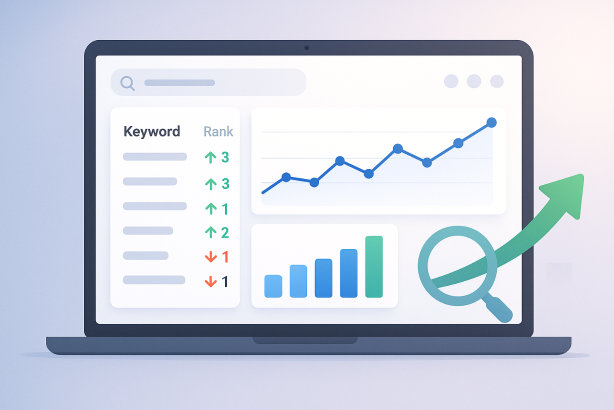

Keyword rank tracking software helps you monitor where your pages appear in search results over time. For SEO teams, agencies, and business owners, that matters because rankings often shift quietly before you notice changes in clicks, leads, or sales. A good tracker replaces manual spot checks with structured data you can actually act on.
In practice, rank tracking is not about watching a single number all day. It is about understanding trends by keyword, page, topic, location, and device. When used well, it helps you decide what to update, which pages deserve more attention, and whether your SEO work is moving in the right direction. If you want a simpler workflow, platforms such as Rabbit SEO can support rank monitoring alongside broader optimization tasks.
What Is Keyword Rank Tracking Software?
Keyword rank tracking software is a tool that records how your website ranks for selected search terms in search engines such as Google. Instead of searching for each keyword manually, the software checks positions automatically and stores the data so you can review movement over days, weeks, and months.
Most rank tracking tools do more than show a raw ranking number. They usually help you:
- Track keyword positions by country, city, device, and search engine
- Monitor specific landing pages for target terms
- Compare your visibility with competitors
- Group keywords by topic, page type, intent, or client
- Spot ranking gains, drops, and possible cannibalization issues
- Create reports for internal teams or clients
Some tools also include AI-assisted summaries or workflow suggestions, but the core value still comes from reliable data, clear segmentation, and useful reporting.
Why Rank Tracking Still Matters in Modern SEO
Rankings are not the only SEO metric that matters, but they are still one of the clearest signals of search visibility. If an important page moves from position 18 to position 7, that change often creates a very different opportunity than moving from position 82 to 73. Rank tracking helps you spot these moments early.
It is especially useful when you need to:
- Measure the impact of on-page updates
- Monitor new content after publication
- Track local visibility for service-area keywords
- Understand mobile versus desktop differences
- Detect when competitors enter or leave important search results
- See whether a page is gaining relevance for the terms it was designed to target
Just as important, rank tracking prevents SEO teams from relying on assumptions. Without a structured SEO rank tracker, it is easy to overestimate progress or miss warning signs until traffic drops become harder to recover from.
How to Choose Keyword Rank Tracking Software for Your Business
Not every business needs the same type of rank tracking. The best choice depends on your site size, reporting needs, and how you make SEO decisions.
For small sites and in-house teams
If you manage a modest site, simplicity matters. Look for a keyword ranking tool that makes it easy to add keywords, tag them by topic, and review changes without a steep learning curve. Clean dashboards and page-level tracking are often more valuable than enterprise-level complexity.
For agencies and consultants
Agencies usually need multi-project management, white-label or exportable reporting, competitor comparisons, and flexible keyword grouping. If you report to several stakeholders, the ability to filter by client, page type, or campaign can save a lot of time.
For local SEO and multi-location brands
Local businesses should prioritize accurate geo-specific tracking. Rankings can vary dramatically by city or even neighborhood. A basic national report will not tell you whether your location pages are visible where customers are actually searching.
For content-heavy sites and ecommerce stores
Large sites need scale and organization. You may track hundreds or thousands of keywords across categories, blog content, product pages, or collections. In those cases, tagging, bulk management, and page mapping become essential. A platform that connects rank data to broader optimization work can be especially helpful.
Core Features to Look For
Accurate device and location tracking
Search results differ by device and location, so your software should let you track both. Mobile rankings often behave differently from desktop, and local intent can change the entire result set. If your customers search in specific markets, make sure the tool supports that level of targeting.
Keyword grouping and segmentation
The ability to group keywords is one of the most practical features in any SERP tracking software. You should be able to organize terms by service line, product category, funnel stage, content cluster, or brand versus non-brand. Segmentation turns ranking data into something decision-makers can use quickly.
Page-level visibility
Good rank tracking software should show which URL is ranking for each keyword. That sounds basic, but it is critical for diagnosing intent mismatch, weak targeting, or cannibalization. If multiple pages compete for the same term, rankings can become unstable and difficult to improve.
Competitor monitoring
Tracking only your own site gives you an incomplete picture. Competitor visibility helps you understand whether movement is driven by your changes, broader search volatility, or stronger pages entering the results. You do not need to monitor dozens of competitors; a focused set is usually enough.
Reporting and alerts
Useful reporting saves time and helps teams react faster. Look for scheduled reports, change alerts, historical charts, and easy exports. If you share updates with clients or internal stakeholders, clarity matters more than flashy visuals.
Integrations with Search Console and analytics
Rankings are most useful when paired with impressions, clicks, and conversions. A tool that fits into your overall workflow will help you compare rank movement with actual performance. Many teams use Rabbit SEO and similar platforms because combining monitoring with optimization work reduces context switching.
How to Set Up Keyword Rank Tracking Software Step by Step
A strong setup is what makes rank tracking valuable. If your keyword list is messy or your segments are inconsistent, the reports will be harder to trust.
1. Build a focused keyword list
Start with the terms that matter most to your business, not every phrase you have ever researched. A useful list usually includes:
- Primary commercial keywords tied to core products or services
- Informational keywords connected to important content assets
- Brand keywords so you can separate branded visibility from non-branded growth
- Local modifiers if geography matters
- High-intent long-tail terms that reflect specific user needs
If you try to track everything at once, reporting becomes noisy. Start with a manageable set and expand when your categories are clear.
2. Map keywords to the right landing pages
Before you begin tracking, decide which page should rank for each important term. This helps you evaluate whether the correct page is being rewarded and makes it easier to spot cannibalization. It also keeps content planning aligned with actual search intent.
3. Choose search engines, devices, and locations
Most teams focus on Google, but you still need to choose the right markets and devices. If most of your audience comes from mobile search in one country, build the campaign around that reality. For local businesses, set up tracking at the city or regional level where possible.
4. Set a realistic tracking schedule
Daily tracking can be useful for active campaigns, competitive niches, or client reporting. Weekly tracking is often enough for smaller sites with slower publishing cycles. The important thing is consistency. Do not change the schedule constantly, or trend analysis becomes less reliable.
5. Create tags, segments, and dashboards
Tag keywords by topic, service, page type, intent, or funnel stage. Then create dashboards that answer practical questions, such as:
- Which service pages are gaining visibility?
- Which blog clusters are stuck outside the top 10?
- Which keywords improved after recent page updates?
- Which location pages underperform on mobile?
This step is where rank tracking turns from raw data into a workflow.
How to Read Ranking Data Without Overreacting
One of the most common mistakes in SEO monitoring is reacting too strongly to small daily changes. Search results are dynamic. A few positions up or down on a given day may not mean much on their own.
Focus on trends, not one-day swings
Look for sustained movement over several checks. A page that rises steadily from page three to page one tells a more useful story than a term that jumps around for a week. Review rolling patterns instead of isolated snapshots.
Prioritize rankings with real opportunity
Not every ranking change deserves the same attention. Moving from positions 11 to 8, or 5 to 3, often creates more practical value than movement far below page one. A good Google ranking monitor should help you identify where incremental improvements could matter most.
Compare rankings with clicks and page performance
If rankings rise but clicks stay flat, the issue may be weak search snippets, low relevance, or a query mix that does not convert. If clicks improve while rankings stay similar, the page may be earning more visibility through stronger titles, better alignment, or broader query coverage. Use rank data alongside Search Console and analytics, not as a standalone verdict.
Separate brand and non-brand terms
Branded keywords tend to perform differently from non-branded ones. If you mix them together, reports can look healthier than they really are. Keep them separate so you can judge whether your SEO program is increasing discoverability beyond people who already know your brand.
Watch for intent mismatch
If a page ranks but struggles to improve, the problem may not be authority alone. Search intent could be mismatched. A product page may have trouble ranking for an informational query, while a blog post may underperform for a transactional term. Rank tracking helps reveal the symptom, but you still need to investigate the page itself.
Common Mistakes When Using Keyword Rank Tracking Software
- Tracking too many keywords. A bloated list creates clutter and makes it harder to focus on high-value opportunities.
- Ignoring keyword intent. Rankings mean less if the wrong page is being measured against the wrong type of query.
- Mixing locations and devices. National, local, desktop, and mobile performance should not be treated as the same data set.
- Obsessing over vanity terms. Head terms can be useful to watch, but they should not dominate your reporting if they are not tied to business goals.
- Failing to annotate major changes. If you update templates, rewrite copy, improve internal links, or launch new pages, record it. Context makes rank changes easier to interpret.
- Using rankings in isolation. To track keyword rankings effectively, you also need to review page quality, CTR, internal linking, and user behavior.
A Practical Workflow for Ongoing SEO Monitoring
Once your setup is live, create a repeatable review process. A simple weekly or biweekly routine is usually enough for most teams.
- Review the biggest gains and losses by segment
- Check whether the expected page is ranking for each target keyword
- Compare rank changes with impressions, clicks, and conversions
- Review competitor movement for your highest-priority terms
- Choose a short list of actions, such as updating copy, refining titles, improving internal links, or consolidating overlapping pages
This is also where all-in-one platforms can help. If your rank tracking lives in one tool while your tasks, page recommendations, and optimization notes live somewhere else, progress can slow down. For teams that want a more connected process, Rabbit SEO is worth exploring as part of a broader SEO workflow.
FAQ: Keyword Rank Tracking Software
How often should I check keyword rankings?
That depends on the size of your site and the pace of your SEO work. Daily tracking is helpful for active campaigns, competitive industries, or client reporting. Weekly reviews are often enough for smaller sites. In either case, focus on trends instead of reacting to every fluctuation.
What is the difference between rank tracking and Search Console data?
Rank tracking software measures selected keywords in a structured way, often by exact location and device. Search Console shows the queries your site actually appeared for, along with impressions and clicks. They work best together: one provides controlled position monitoring, and the other shows broader real-world search performance.
Should I track every keyword my site could rank for?
No. A focused list is almost always better. Track the terms that reflect core products, services, content themes, and business goals. Expanding too quickly creates noise and weakens reporting quality.
Can small businesses benefit from keyword position tracking?
Yes. Small businesses often benefit a lot from clear keyword position tracking, especially if they depend on local visibility or a small set of high-value services. Even a compact list can reveal whether the right pages are improving and where updates are needed.
Do rankings alone tell me whether SEO is working?
No. Rankings are an important visibility signal, but they do not replace clicks, leads, sales, or engagement metrics. Use them to guide decisions, then validate those decisions with performance data from analytics and conversion tracking.
Conclusion: Use Keyword Rank Tracking Software to Make Better SEO Decisions
The best keyword rank tracking software does more than report positions. It helps you organize priorities, spot opportunities, diagnose problems, and build a more disciplined SEO process. When your setup is focused and your reporting is tied to real business goals, ranking data becomes much more useful.
If you want a straightforward way to monitor rankings and connect that work to broader optimization tasks, take a look at Rabbit SEO. It can help you keep SEO monitoring practical, organized, and easier to act on.