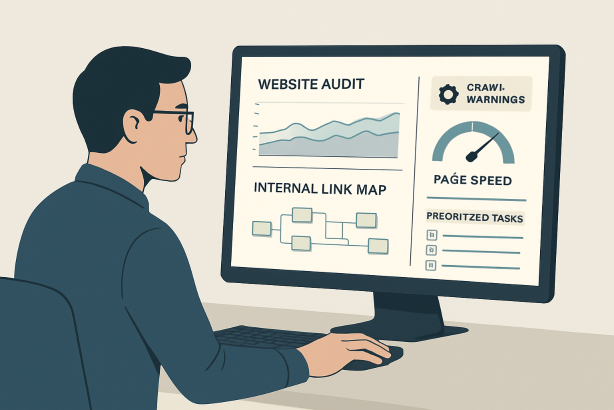

SEO audit software can save hours of manual checking, but only if you use it with a clear process. Many site owners run an audit, skim a list of warnings, and then get stuck. The result is a report full of issues and no practical path to improvement.
This step-by-step tutorial shows you how to use SEO audit software the right way: start with a crawl, validate technical issues, review on-page signals, inspect internal links, assess performance, and turn everything into a prioritized action plan. Whether you manage a small content site, an ecommerce store, or a growing business website, the goal is the same: find the problems that actually affect visibility and fix them in the right order.
If you want your next technical SEO audit to lead to measurable progress instead of another unfinished spreadsheet, this is the workflow to follow.
What SEO audit software should help you find
A good audit platform is more than a scanner. It should help you understand how search engines and users experience your site. The best tools surface issues in four main areas:
- Crawlability and indexability: blocked pages, broken links, redirect chains, noindex directives, canonicals, and sitemap problems.
- On-page SEO: missing title tags, duplicate metadata, thin content, heading issues, image alt text, and weak keyword targeting.
- Site structure: orphan pages, shallow internal linking, poor hierarchy, and pages that are too many clicks from important hubs.
- Performance and trust signals: slow pages, page experience issues, and backlink risks that may hold rankings back.
Think of SEO audit software as your diagnostic layer. It tells you where to look. Your job is to interpret the findings and decide what deserves action now, later, or not at all.
Before you start: set up your audit correctly
Before you launch a crawl, make sure your inputs are clean. A rushed setup can produce a confusing report, especially on larger sites.
Use this quick checklist
- Confirm the preferred domain version, including HTTP or HTTPS and www or non-www.
- Know whether you want to crawl the live site, a subfolder, or a staging environment.
- Have access to Google Search Console and analytics so you can validate what the website audit tool finds.
- Locate your XML sitemap.
- Make a note of your most important page types, such as service pages, blog posts, product pages, and category pages.
- Define your main goal: better rankings, stronger technical health, content cleanup, or pre-launch QA.
This prep work matters because not every flagged issue deserves the same attention. A missing alt attribute on a low-value image is not equal to accidental noindex tags on revenue pages.
Step 1: Crawl your site with SEO audit software
Your first move is a full crawl. This is where your site crawler maps URLs, status codes, redirects, metadata, canonical tags, headings, and internal links.
When the crawl finishes, do not jump straight into fixing individual warnings. Start by reviewing the top-level picture:
- How many URLs were found?
- How many are indexable versus non-indexable?
- Are there large clusters of redirects, 4xx errors, or duplicate pages?
- Does the tool show obvious crawl traps, parameter pages, or faceted navigation bloat?
This first pass helps you answer a critical question: is the site mostly healthy with a few isolated issues, or does it have structural problems that affect the whole domain?
Pay special attention to status codes. Broken pages, soft 404s, and unnecessary redirect chains often create quick wins. If your SEO site audit shows important internal links pointing to redirects, update those links directly instead of relying on extra hops.
Also compare the crawl with your sitemap. Important URLs should appear in both places. If key pages are absent from the sitemap or hard to reach through normal navigation, they may be under-supported.
Step 2: Check indexability and crawl directives
Once you know what exists on the site, the next question is simple: can search engines access and index the right pages?
Use your audit report to review:
- Robots directives: pages blocked in robots.txt that should be accessible.
- Noindex tags: pages that should rank but are excluded.
- Canonical tags: self-referencing canonicals on important pages and clean canonical targets on duplicates.
- Sitemaps: whether the sitemap includes only canonical, indexable URLs.
- Pagination and parameters: whether filter and sort URLs are generating index clutter.
This is one of the most important parts of a technical SEO audit because indexation errors can suppress visibility even when content quality is good.
Here is the practical way to work through it: first isolate your highest-value pages, then confirm that each one returns a 200 status code, is indexable, has the correct canonical, and is included in your internal linking structure. Only after the critical pages are validated should you move on to lower-priority URLs.
Step 3: Review on-page signals page by page
Now move into content and metadata. Your on-page SEO checker should make it easy to sort pages by missing tags, duplicates, or weak formatting.
Focus on the signals that improve relevance and click potential:
- Unique, descriptive title tags
- Useful meta descriptions
- One clear H1 per page
- Logical heading structure
- Descriptive image alt text where appropriate
- Content that matches search intent
Be careful not to treat on-page work as a box-ticking exercise. The goal is not just to remove warnings. The goal is to make each important page clearer, stronger, and more aligned with the query it is meant to rank for.
A common example: a tool may flag a title tag as too long, but that is not always the main problem. Sometimes the bigger issue is that the title does not communicate the page topic well enough. Prioritize clarity over cosmetic perfection.
For content-heavy sites, group similar pages together. Audit blog templates separately from product pages or service pages. This makes patterns easier to spot and helps you scale improvements instead of editing pages one by one without a system.
Step 4: Audit internal links and site architecture
Internal links are one of the most undervalued parts of a good audit. Strong architecture helps search engines discover pages, understand topical relationships, and pass authority to the URLs that matter most.
Your internal linking audit should answer these questions:
- Are important pages linked from the main navigation or major hub pages?
- Are any valuable pages orphaned or nearly orphaned?
- Do anchor texts describe the destination naturally?
- Are deep pages too many clicks away from the homepage?
- Are internal links pointing to redirected URLs?
Look for opportunities to strengthen content clusters. If you have several articles on related topics, connect them with relevant internal links and a clear hub page. If you run an ecommerce site, make sure categories support products and related products support stronger crawl paths.
This is also where you spot wasted authority. If low-value pages receive heavy internal linking while revenue or lead pages receive very little, rebalance the structure.
Step 5: Measure speed and page experience issues
Every serious SEO audit software workflow should include performance review. Speed alone will not fix weak content, but slow, unstable pages can drag down user experience and reduce the impact of your SEO work.
Use your audit findings alongside a dedicated Core Web Vitals audit to review:
- Slow-loading templates
- Oversized images
- Render-blocking scripts or styles
- Layout shift problems
- Mobile usability issues
Prioritize fixes at the template level whenever possible. Improving a blog post template, product template, or collection template can create gains across dozens or hundreds of pages at once.
Also separate technical speed issues from hosting or infrastructure problems. If your audit shows sitewide slowness, the solution may involve caching, image handling, code cleanup, or server response improvements rather than editing page content.
Step 6: Review backlinks and off-page risks
A full audit is not limited to on-site checks. A reliable backlink audit tool can help you understand whether your site has authority-supporting links, suspicious patterns, or broken backlinks worth reclaiming.
Review:
- Links pointing to 404 pages that should be redirected or restored
- Backlinks concentrated on low-value URLs instead of strategic pages
- Spam-heavy referring domains that deserve closer review
- Opportunities to update internal links from pages with stronger backlinks
Do not overreact to every unfamiliar link. Focus on obvious risks and practical recovery opportunities first. Often the best off-page win from an audit is reclaiming lost value from broken or redirected pages that still attract links.
Step 7: Turn your findings into a prioritized action plan
This is the step many teams skip. A report is not a strategy. To get results from SEO audit software, you need to translate findings into a clear implementation plan.
Start by sorting issues into three buckets:
- High impact, high urgency: indexation errors, broken key pages, major internal linking gaps, critical metadata problems on core pages.
- High impact, lower urgency: template improvements, content refreshes, structured internal linking upgrades, performance enhancements.
- Low impact or cosmetic: minor warnings that do not affect rankings, traffic, or user experience in a meaningful way.
Then assign owners and deadlines. SEO improvements often fail because nobody knows who is responsible for what.
| Issue | Why it matters | Priority | Owner |
|---|---|---|---|
| Noindex on key service pages | Prevents important pages from appearing in search | High | SEO / Developer |
| Internal links pointing to redirects | Wastes crawl efficiency and weakens link flow | Medium | SEO / Content |
| Duplicate title tags on blog posts | Reduces clarity and click potential | Medium | Content |
| Oversized images on key templates | Slows page load and hurts experience | Medium | Developer / Design |
Finally, re-run the audit after changes go live. Auditing is not a one-time task. It is a cycle of discovery, prioritization, implementation, and validation.
Common mistakes when using SEO audit software
- Fixing everything in the order the tool lists it: tools surface issues, but they do not know your business priorities.
- Ignoring templates: repeated issues usually need system-level fixes, not page-by-page cleanup.
- Chasing perfect scores: a cleaner report is useful, but impact matters more than aesthetics.
- Working without Search Console context: combine crawl data with real indexing and query signals.
- Failing to document changes: if rankings move later, you need to know what was fixed and when.
How to choose SEO audit software that fits your workflow
If you are evaluating platforms, choose SEO audit software based on workflow fit, not just the longest feature list. The right tool should help you crawl reliably, segment issues clearly, prioritize fixes, and collaborate with whoever implements changes.
Look for software that supports:
- Accurate crawling at the size your site requires
- Clear reporting for technical and on-page issues
- Page-level detail and sitewide pattern detection
- Easy exports or task handoff for developers and content teams
- Ongoing monitoring so you can catch regressions early
If the interface makes prioritization difficult, the tool may create more noise than value. The best audit setup is the one your team can actually use consistently.
Want a faster, cleaner audit workflow? Rabbit SEO helps you uncover technical issues, monitor site health, and keep optimization tasks organized without turning your audit into another messy spreadsheet. If you want a practical way to move from findings to fixes, explore Rabbit SEO and build a repeatable process for every site you manage.
Conclusion: use SEO audit software to create momentum
SEO audit software is most valuable when it supports decisions, not just diagnostics. Run the crawl, validate indexability, improve on-page signals, strengthen internal links, review performance, check backlinks, and then prioritize what will move the needle first.
That is how a good audit becomes a better website. Instead of reacting to every warning, you create momentum through focused fixes that improve crawl access, relevance, usability, and authority. Follow this step-by-step process, revisit it regularly, and your next audit will be far more than a report. It will be a roadmap.