
Buying SEO audit software sounds straightforward until you start comparing platforms. Nearly every tool promises better visibility, cleaner technical SEO, and faster problem detection. In practice, the right choice depends on how deeply you need to crawl, how clearly issues are prioritized, how easily reports turn into action, and whether the software fits your day-to-day workflow.
This buyer’s guide is designed to help you evaluate SEO audit software like an operator, not a casual browser. Instead of chasing long feature lists, you will learn what matters most when comparing tools: crawl quality, issue coverage, usability, reporting, scalability, and the real-world fit for your team.
If you are a consultant, agency, in-house marketer, or SEO lead, the best platform is rarely the one with the longest checklist. It is the one that helps you find problems quickly, explain their impact clearly, and keep fixes moving. That is the lens we will use throughout this guide.
Why SEO audit software matters more than ever
SEO performance depends on more than rankings and keywords. Technical barriers, weak internal linking, indexing waste, duplicate content, broken pages, redirect chains, thin templates, and metadata issues can all limit organic growth. A strong website audit tool helps you identify those blockers before they become expensive habits.
Good audit software does three things well:
- It crawls your site in a way that reflects how search engines discover pages.
- It surfaces issues with enough context to understand the business impact.
- It helps you prioritize what to fix first.
That last point matters most. Most sites have more issues than any team can address immediately. Without prioritization, audits become endless spreadsheets instead of a practical roadmap. The best site audit software turns technical analysis into an ordered plan.
What SEO audit software should actually do
Before comparing brands, define the baseline. A premium platform should support the full audit workflow, not just isolated checks.
1. Crawl your site thoroughly and reliably
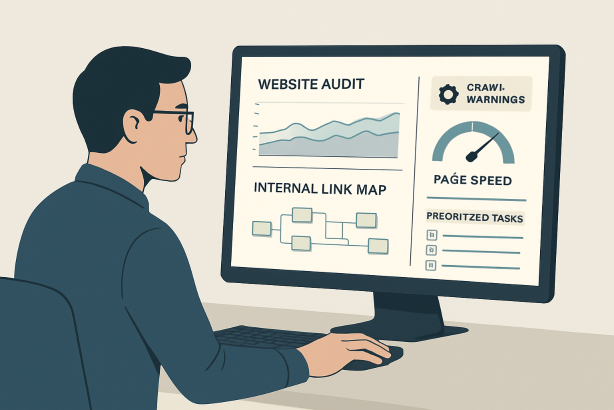
At the core of any crawl analysis tool is the crawler itself. If crawl depth is weak or controls are limited, everything that follows is less useful. You want software that can discover key URLs, respect crawl rules when needed, and show you how pages connect across the site.
Look for:
- Custom crawl scope and limits
- Support for large site structures
- Clear status code reporting
- Canonical, redirect, and orphan-page visibility
- JavaScript handling if your site relies on rendered content
If the platform cannot reliably map your site, it cannot produce a trustworthy technical SEO audit.
2. Diagnose technical SEO issues with clear severity
An audit platform should detect common technical problems, but detection alone is not enough. You need accurate categorization and practical severity levels. A list of 400 warnings is not helpful if 10 of them matter far more than the other 390.
Important diagnostics often include:
- Indexability and crawlability problems
- Broken internal and external links
- Redirect chains and loops
- Duplicate title tags and meta descriptions
- Thin or duplicate content signals
- Missing canonicals or conflicting canonical directives
- Robots directives and noindex conflicts
- XML sitemap mismatches
- Page speed-related page bloat indicators
- Structured data visibility
Strong SEO reporting tools explain what the issue is, where it appears, and how widespread it is across the site.
3. Review on-page elements at scale
A premium on-page SEO checker should make it easy to spot template-level weaknesses across titles, headings, internal anchors, image attributes, and content structure. You should be able to move from domain-level trends to page-level specifics without losing context.
For content-heavy sites, pattern recognition matters. The software should help you identify groups of pages with the same problem so your team can fix templates or workflows instead of patching URLs one by one.
4. Expose internal linking and architecture issues
Many SEO gains come from better structure, not just fixing errors. Good SEO audit software should show how authority and crawl attention flow through the site. That includes shallow versus deep pages, weak internal linking clusters, overlinked navigational sections, and valuable pages that are difficult to reach.
If a tool only reports errors but ignores architecture, it leaves strategic value on the table.
5. Turn findings into reports people can use
Different stakeholders need different views of the same audit. SEO specialists want detail. Content teams want page examples. Developers want reproducible technical issues. Executives want clear summaries and priorities. The right software supports all of them.
Useful reporting features include:
- Shareable audit summaries
- Issue filtering by type, severity, and section
- Exports for development or content workflows
- Scheduled recrawls for progress tracking
- Clean visuals for status and trend reporting
If reporting is clumsy, audit insights stay trapped inside the platform.
6. Support recurring audits, not one-off scans
SEO is ongoing. A single crawl can reveal a lot, but value compounds when software supports recurring checks, historical comparisons, and regular monitoring. The best platforms are built for continuous site health management, not just periodic diagnosis.
When evaluating tools, ask yourself whether the software will still be useful after the first month. If the answer is no, it is not really a platform. It is a temporary scan.
How to evaluate SEO audit software as a buyer
Once you know what the software should do, the next step is comparison. Here is the framework experienced buyers use.
Start with your primary use case
Do not buy based on generic feature parity. Buy based on the main job the tool needs to perform.
- Consultants often need fast audits, clear exports, and client-friendly reports.
- In-house teams usually need recurring monitoring, issue prioritization, and collaboration across departments.
- Agencies need multi-site management, repeatable reporting, and efficient workflow across accounts.
- Larger organizations often care most about scale, user permissions, and consistency across complex site structures.
A tool can be excellent overall and still be wrong for your use case. Define the job first.
Assess data depth versus usability
Some platforms deliver enormous amounts of technical detail but bury it in a difficult interface. Others are easy to use but too shallow for serious audits. The right balance depends on who will actually work in the tool every week.
Ask:
- Can a specialist go deep without friction?
- Can a non-specialist understand the top issues quickly?
- Does the interface help you move from summary to root cause?
- Can you segment by directory, template, or page type?
Complexity is not a sign of quality. Clarity is.
Check crawl controls and accuracy
This is where many buying decisions should be made. If your site has faceted navigation, parameter sprawl, heavy templates, or multiple subfolders, crawl control matters. You should be able to limit, target, and structure crawls in a way that reflects your real SEO priorities.
Review how the software handles:
- Subdomains and subfolders
- Excluded sections
- Crawl scheduling
- Large URL sets
- Status code categorization
- Canonical logic
- Internal link mapping
Accuracy creates trust. If the platform frequently flags misleading issues or makes it hard to verify findings, adoption will suffer.
Review issue prioritization logic
Not all errors deserve equal urgency. The best SEO audit software makes this obvious. It should separate critical blockers from lower-impact cleanup items and help you understand where fixes will improve crawl efficiency, indexation, discoverability, or on-page quality.
Good prioritization often includes:
- Severity labels
- Affected page counts
- Section-level impact
- Trend visibility over time
- Examples of affected URLs
Buyers should be cautious of software that overwhelms users with issue volume but offers little guidance on what to do first.
Evaluate reporting and collaboration
An audit tool is rarely used by one person alone. Even solo operators eventually need to send findings to clients, writers, developers, or managers. That means the software should help you package insights clearly.
Look for tools that make it easy to:
- Create summaries for decision-makers
- Export issue lists for implementation
- Track changes between crawls
- Share findings without manual cleanup
- Maintain consistency across recurring audits
This is especially important if you are comparing enterprise SEO software or agency-focused platforms where multiple stakeholders rely on one system.
Confirm scalability and pricing fit
Price matters, but pricing structure matters even more. Some tools feel affordable until crawl limits, project caps, or user restrictions start slowing your workflow. Others may cost more but reduce time spent exporting, cleaning, and translating data.
When comparing plans, consider:
- Number of projects or sites
- Crawl allowances
- User seats
- Reporting limitations
- Historical data access
- Feature gating across tiers
The cheapest option is often the most expensive one if it creates manual work every week.
SEO audit software comparison checklist
| Evaluation area | What to ask | Why it matters |
|---|---|---|
| Crawl quality | Does the platform crawl key sections reliably and show how pages connect? | Poor crawl quality weakens every downstream insight. |
| Technical coverage | Does it detect the issues your site actually faces? | Coverage determines whether the audit is operationally useful. |
| Prioritization | Can you tell what needs attention first? | Priority clarity keeps teams focused on impact. |
| Usability | Can specialists and stakeholders both use the output? | Adoption rises when the software is clear and navigable. |
| On-page analysis | Can it review titles, headings, duplication, and content patterns at scale? | On-page issues often affect large page sets. |
| Internal linking | Does it reveal structural weaknesses and page depth problems? | Architecture improvements can unlock strong SEO gains. |
| Reporting | Can reports be shared without heavy manual formatting? | Better reporting speeds implementation and communication. |
| Scalability | Will the platform still work as your site count or URL volume grows? | Switching tools later is costly and disruptive. |
| Pricing model | Are limits aligned with how your team actually works? | Bad pricing fit creates hidden friction. |
Which type of buyer are you?
Solo consultant or freelancer
You likely need speed, clarity, and presentable outputs. The right site audit software for this use case should let you scan a site, isolate high-priority issues, and create an action plan quickly. Heavy enterprise controls may be unnecessary. Clean exports and simple explanations often matter more.
In-house marketer
You need software that supports recurring health checks and cross-functional communication. A tool that clearly separates content issues, technical issues, and architecture issues can save a lot of back-and-forth with developers and editorial teams.
Agency team
Agencies benefit from systems that reduce repetitive work. Multi-project management, efficient reporting, and repeatable audit structures are critical. If your team handles many client sites, workflow efficiency may matter as much as raw diagnostic depth.
Large or complex organization
If your site is large, layered, or operationally complex, you need enterprise SEO software that handles scale without becoming hard to trust. Permissions, consistency, crawl controls, and stable reporting are usually more important here than flashy dashboards.
Red flags to avoid when buying SEO audit software
- Too many issues, not enough prioritization. Volume is not value.
- Weak reporting. If you need to rebuild every report manually, the software is adding friction.
- Shallow crawls. Limited crawl depth can hide the exact problems you are trying to solve.
- Unclear issue definitions. Teams need enough context to act confidently.
- Feature gating that blocks normal workflow. Essential exports or useful monitoring should not feel inaccessible.
- Overly generic recommendations. Good software helps you identify what matters on your site, not just what could matter on any site.
- Low operational fit. If the interface does not match how your team works, adoption will drop.
Questions to ask before you choose SEO audit software
- What is the main job we need this platform to do in the next 6 to 12 months?
- Who will use it most often, and how technical are they?
- How often will we run audits?
- Do we need one-off diagnostics, ongoing monitoring, or both?
- Can the software segment issues by site section, template, or page type?
- How easy is it to share findings with developers, writers, or clients?
- Will crawl limits or project caps create workflow problems?
- How useful are the exports and summaries?
- Can we track progress over time without maintaining separate spreadsheets?
- Does the platform help us move from issue detection to implementation planning?
If you cannot answer these questions clearly, pause the buying process. Better internal clarity usually leads to a better tool decision.
How Rabbit SEO fits into a practical audit workflow
For many teams, the best SEO audit software is not the most complicated platform. It is the one that makes recurring audits manageable, highlights the issues that deserve attention, and helps turn diagnostics into action. That is where a practical workflow matters.
Rabbit SEO is built for teams that want site audits to be useful, repeatable, and easier to communicate. Instead of treating audits as isolated technical events, the goal is to support an ongoing process: crawl the site, identify issues, prioritize the important ones, share findings clearly, and recrawl to measure progress.
This kind of workflow is especially helpful for marketers and site owners who need actionable visibility without creating more operational overhead. If your current process involves too many exports, too much manual cleanup, or too little clarity on what to fix first, a simpler audit system can create real leverage.
Ready to make audits more actionable? Explore Rabbit SEO to streamline recurring site checks, surface meaningful issues faster, and keep your optimization work moving with less friction.
Final thoughts on choosing SEO audit software
The right SEO audit software should do more than produce a list of errors. It should help you understand your site, focus on the most important fixes, and support a repeatable process for improving technical health and on-page quality over time.
When evaluating options, start with your use case, test crawl quality, examine prioritization, and look closely at reporting. The best buyer decision is rarely about the biggest feature list. It is about choosing software your team will actually use consistently.
If you keep that standard in mind, you will be far more likely to invest in SEO audit software that delivers practical value instead of just more data.