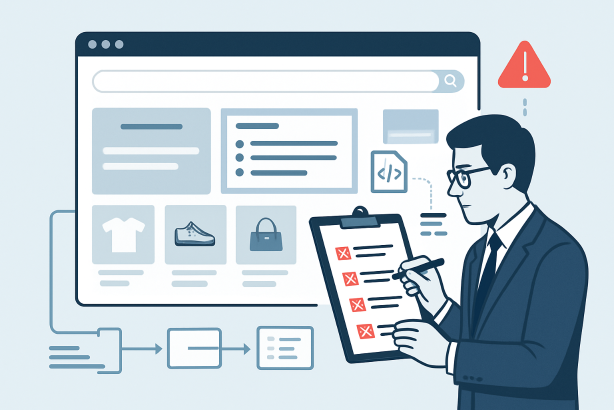

Across the current SEO news cycle, one theme keeps returning: websites perform better when search engines can crawl, understand, and trust them efficiently. That is where SEO audit software becomes essential. A proper audit is not just a technical report. It is a working system for finding blockers, validating page quality, and deciding what to fix first.
This tutorial walks through that system step by step. Whether you manage a content-heavy site, an ecommerce store, or a service business website, the process is the same. You start by defining the scope, run a controlled crawl, review the highest-impact issues, and then turn those findings into an action plan. The goal is not to chase every warning. The goal is to improve pages that matter, remove friction from crawling and indexing, and support stronger organic visibility over time.
If you have ever opened a website audit tool and felt overwhelmed by hundreds of alerts, this guide is designed to make the workflow clearer. By the end, you will know how to use SEO audit software like an editor and strategist, not just like a technician.
Why SEO audit software matters right now
Modern SEO is shaped by technical quality, content usefulness, and site structure working together. That is why a technical SEO audit is no longer a one-off cleanup task. It is a routine discipline. Search engines need to reach important pages, interpret their signals correctly, and understand how those pages fit inside the rest of the site. When that process breaks down, rankings often slip for reasons that are not immediately obvious from analytics alone.
SEO audit software helps uncover those hidden problems quickly. It shows where the site returns the wrong status codes, where canonical signals conflict, where internal links are weak, and where metadata or content templates need improvement. It also gives you a consistent way to compare sections of the site over time. In other words, it turns a vague feeling that something is off into a structured list of issues you can review, assign, and fix.
That is especially relevant in a category like SEO News, where teams need to respond to changing search expectations without wasting time on guesswork. Audits provide the evidence behind good decisions.
Step 1: Define the goal of your audit
Before you run any crawl, decide what you are trying to learn. The best audits start with a narrow question, not a giant export. For example, are you investigating a traffic drop, validating a site migration, improving an underperforming blog section, or building a maintenance workflow for the entire domain? Your answer changes the depth and scope of the crawl.
At this stage, document the following:
- Site sections in scope: entire domain, subfolder, blog, product pages, location pages, or a staging environment.
- Primary business pages: the URLs that directly support leads, sales, or subscriptions.
- Known symptoms: lost rankings, slow discovery, duplicate pages, thin templates, or recurring crawl errors.
- Success criteria: cleaner indexing, better internal linking, fewer redirect chains, stronger metadata coverage, or improved template consistency.
This first step matters because a crawl can surface thousands of lines of data. Without a goal, you will struggle to separate true priorities from background noise. Think of your audit as an editorial assignment: define the brief before you review the material.
Step 2: Configure your SEO audit software before the crawl
Once the goal is clear, prepare the crawl settings carefully. This is one of the most overlooked parts of using SEO audit software. If the configuration is weak, the findings will be incomplete or misleading.
Start with the crawl source. In most cases, you want the tool to follow internal links from the homepage or a specified starting folder. If the software allows it, compare that crawl with XML sitemaps later. This helps you spot URLs that exist in sitemaps but are hard to reach through normal navigation.
Then review access and controls:
- Make sure the user agent is appropriate for the environment you are testing.
- Confirm the crawl respects or intentionally tests robots directives, depending on your goal.
- Set limits for subdomains, parameters, and crawl depth so the data remains useful.
- Include rendered pages if JavaScript materially affects content or internal links.
- Exclude obvious noise such as faceted duplicates, tracking parameters, or irrelevant utility pages when needed.
If you are working with a large site, begin with a focused crawl of a priority section before auditing the full domain. That approach often reveals template-level issues faster than a broad crawl. It also makes the resulting site crawl analysis easier to interpret, especially when multiple teams are involved.
Step 3: Run the crawl and review the top-level findings
After configuration, run the crawl and resist the urge to jump immediately into minor warnings. First, look at the high-level picture. Most platforms will summarize total URLs discovered, indexable pages, redirects, broken pages, duplicate elements, and other broad signals. This overview helps you understand the shape of the site before you inspect individual problems.
Ask a few basic questions:
- Does the total number of discovered URLs look reasonable for the area you crawled?
- Are there clear signs of crawl traps, parameter expansion, or pagination issues?
- Do indexable pages align with the pages you actually want in search?
- Are broken pages or redirect chains concentrated in one section?
This first pass is not about solving everything. It is about identifying where the real risk lives. Good SEO audit software should help you move from summary to root cause, rather than drowning you in disconnected alerts.
Step 4: Use SEO audit software to check crawlability and indexability
If you only have time to review one area deeply, start here. Crawlability and indexability issues can prevent good content from performing at all. A page cannot rank well if search engines struggle to access it, if it resolves incorrectly, or if its directives send mixed signals.
Crawl status and response codes
Review all non-200 responses first. Look for 3xx, 4xx, and 5xx pages, then map them back to their sources. A broken page linked internally is usually more urgent than an isolated legacy URL with no crawl path. Redirects are not automatically harmful, but chains and loops create friction. Clean internal links should point straight to the final destination whenever possible.
Also check whether important pages are returning soft errors, inconsistent mobile responses, or temporary redirects that should be permanent. These are classic findings in a solid SEO site audit checklist.
Canonicals, redirects, and duplicate URLs
Next, compare canonical tags, redirect targets, and indexability status. You are looking for conflicts such as:
- Pages marked indexable but canonicalized to another URL.
- Canonical targets that redirect instead of resolving directly.
- Near-duplicate pages generated by parameters or inconsistent trailing slash rules.
- HTTP pages that still exist in the crawl path when HTTPS should be the only version.
These conflicts confuse search engines and dilute signals. The fix is usually not complex, but the diagnosis requires careful review. Your website audit tool should make it easy to filter by status code, canonical target, and directive combinations.
Robots directives and XML sitemaps
Now compare what the site allows with what it promotes. Pages blocked in robots directives but submitted in XML sitemaps deserve a closer look. So do pages marked noindex that continue to receive strong internal links from navigation or hubs. The objective is consistency. Important pages should be crawlable, indexable when appropriate, and clearly represented in sitemaps. Low-value pages should not consume unnecessary crawl attention.
This is also the point where many indexability issues surface. A page may exist, load correctly, and still be excluded from search because the technical signals are misaligned.
Step 5: Audit on-page signals and content quality
Once crawl and index status make sense, move to the page-level signals. This is where on-page SEO checker style functionality becomes useful, but interpretation still matters. Not every missing field is a ranking problem. Focus on patterns across important templates and sections.
Start with titles and meta descriptions. You want uniqueness, relevance, and alignment with search intent. Then review headings, thin body copy, duplicate templates, missing alt text on meaningful images, and pages that have very little unique value compared with others on the site. If multiple pages target the same topic with nearly identical structure, you may be dealing with internal competition rather than isolated optimization gaps.
As you review content, ask:
- Does this page deserve to exist separately from similar pages?
- Is the primary topic obvious from the title, heading, and body copy?
- Does the template support useful context, or does it produce repetition at scale?
- Are there outdated pages that should be consolidated, refreshed, or removed?
The strongest audits connect technical findings with editorial decisions. That is how SEO audit software becomes more than a diagnostic tool. It becomes a quality control system for the site.
Step 6: Review site architecture and internal linking
Internal linking deserves its own pass because it affects discovery, authority flow, and user navigation. Start by identifying pages that matter commercially and then examine how easily a crawler can reach them. If key pages sit too deep, receive very few internal links, or are omitted from relevant hub pages, search engines may treat them as less important than they should.
Look for these patterns:
- Important pages with low internal link counts.
- Orphan pages that are absent from the main crawl path.
- Navigation systems that overemphasize utility pages and under-support revenue pages.
- Anchors that are too vague to reinforce topical relevance.
An effective site crawl analysis should show you depth, inlinks, and the relationship between sections. Use that information to strengthen hubs, connect related articles and commercial pages, and remove unnecessary detours. Strong architecture helps both users and crawlers understand which pages carry the most value.
Step 7: Audit structured data, media, and page templates
After architecture, review the site elements that often create template-wide opportunities or risks. Structured data is a good example. You do not need to force markup onto every page, but where it is used, it should be accurate, complete, and aligned with the visible content. Inconsistencies at the template level can spread across hundreds of URLs quickly.
Next, look at media. Oversized images, missing descriptive filenames, and poorly handled lazy loading can weaken performance and accessibility. Media issues are not always direct ranking blockers, but they often degrade the overall quality of the page and the user experience it provides.
Finally, inspect templates themselves. If a page type repeatedly generates duplicate titles, empty headings, thin descriptions, or poor internal linking blocks, fix the template before editing individual URLs. This is one of the fastest ways to improve large sections of a site. A mature website audit tool helps you detect these repetitive patterns early.
Step 8: Turn your audit into a prioritized action plan
The best audit in the world has no value if it ends as a spreadsheet no one acts on. Once you have reviewed the findings, group them by impact, effort, and ownership. This is where strategy matters most. Not every issue deserves immediate development time, and not every warning needs a ticket.
A practical prioritization model looks like this:
| Issue type | What to ask | Likely impact | Suggested priority |
|---|---|---|---|
| Critical crawl or index blocks | Are important pages inaccessible or excluded? | High | Fix first |
| Redirects and broken internal links | Do users and crawlers hit unnecessary dead ends? | High | Fix early |
| Duplicate or conflicting canonicals | Are signals split across multiple versions? | High | Fix early |
| Weak metadata and thin templates | Are page signals unclear or repetitive at scale? | Medium | Schedule after technical blockers |
| Internal linking gaps | Are priority pages under-supported? | Medium to high | Schedule soon |
| Low-value legacy pages | Should pages be consolidated, refreshed, or removed? | Medium | Plan as an editorial project |
As you assign work, translate each finding into a plain-language recommendation. Instead of writing duplicate metadata across the site, specify which templates are affected, why the issue matters, and what a clean fix looks like. This makes the output of your technical SEO audit far easier for content, product, and development teams to use.
Step 9: Re-run SEO audit software and create a monthly workflow
An audit should not be a one-time event. Once fixes are implemented, re-run the crawl to validate them. This second pass often reveals whether the original issue is fully resolved or whether a broader template or governance problem remains. It also gives you a cleaner before-and-after record for the team.
From there, build a repeatable workflow. Many teams benefit from a simple monthly rhythm:
- Run a focused crawl of priority sections.
- Review new crawl errors and indexability changes.
- Spot-check titles, canonicals, internal links, and orphaned URLs.
- Compare XML sitemaps with live crawl data.
- Log recurring issues that point to template or publishing process problems.
This cadence keeps your site healthier between major redesigns, launches, and content expansions. More importantly, it turns SEO audit software into an operational habit rather than a crisis tool.
What to look for when choosing SEO audit software
If you are evaluating platforms, look past the number of checks advertised. A good solution should help you answer clear questions quickly. Can it crawl the site in a way that reflects real structure? Can it expose indexability conflicts, template patterns, and internal linking gaps without unnecessary friction? Can your team understand the findings and turn them into action?
The right platform should support a disciplined workflow, not just produce a long list of warnings. Strong filtering, useful exports, logical issue grouping, and a clear view of page relationships matter more than flashy dashboards. The best SEO audit software helps you work faster, but it also helps you think better.
If your team wants a cleaner way to keep audit findings visible and turn them into ongoing SEO action, explore Rabbit SEO and see how it can support a more consistent audit workflow.
Conclusion: SEO audit software is only valuable when it leads to action
Used well, SEO audit software gives you more than diagnostics. It gives you clarity. It shows which pages matter, which signals conflict, and which fixes deserve priority. The step-by-step approach is straightforward: define the goal, configure the crawl, review crawlability and indexability, assess on-page quality, strengthen internal linking, prioritize the work, and re-audit after changes go live.
That process is what separates random issue hunting from real SEO management. If you want better rankings, better site health, and fewer surprises, make SEO audit software part of a repeatable editorial and technical workflow. The insights only matter when they lead to cleaner architecture, stronger pages, and smarter decisions.