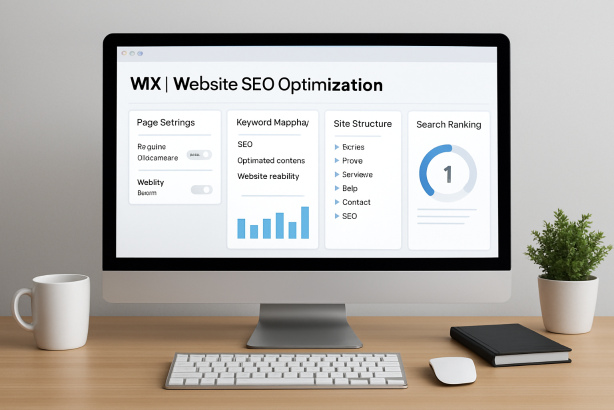

Wix has become a practical platform for business owners who want design control without heavy development work. But good design alone does not produce organic visibility. If you want better rankings, qualified traffic, and more leads, Wix & SEO need to be managed like a system, not a one-time setup. This owner checklist walks through the core actions that matter most: structure, page targeting, technical settings, content quality, local signals, and maintenance. Use it to audit an existing site or to launch a new one on stronger SEO foundations.
Why Wix & SEO need an owner checklist
The biggest mistake owners make with Wix search engine optimization is assuming the platform will handle strategy for them. Wix gives you usable controls for titles, URLs, redirects, indexing, and page content, but it still needs clear decisions from the site owner. A checklist keeps priorities in order, helps you avoid duplicate work, and catches the small errors that quietly hold pages back. It also makes delegation easier if different people touch content, design, or marketing over time.
Wix & SEO foundation checklist
Before you tweak titles or publish new blog posts, make sure the basics are right.
- Connect a custom domain and keep HTTPS active. A branded domain and a secure site are baseline trust signals. Make sure the live version of your site resolves cleanly and that there is no confusion between old and new URLs.
- Keep the site structure shallow. Your most important pages should be reachable in a few clicks. Group services, products, and blog categories logically so users and search engines can understand the hierarchy.
- Assign one primary keyword theme to each core page. Before editing copy, decide what the homepage, each service page, and each location page should rank for. This makes on-page SEO for Wix more focused and reduces overlap between pages.
- Check indexation settings. Important pages should be indexable, while thin thank-you pages, duplicate test pages, or private content should stay out of search. Review this any time you duplicate or redesign a page.
- Prioritize mobile usability. Most owners review a Wix site on desktop first, but search performance depends heavily on how the mobile version feels. Readability, tap targets, spacing, and clear calls to action all matter.
- Install measurement from the start. Connect Google Search Console and your analytics platform before major changes. You need baseline visibility, click data, and conversion signals to judge whether your Wix website optimization is working.
On-page SEO checklist for every important page
Once the foundation is set, move page by page. Strong on-page SEO for Wix is rarely about tricks. It is mostly about clarity, relevance, and making each page easier to interpret.
- Write a unique title tag for every important page. Put the main topic near the beginning, keep it readable, and connect it to real search intent. Avoid repeating the same generic title pattern across the entire site.
- Use meta descriptions to improve clicks. A meta description will not rescue a weak page, but it can help sell the visit. Summarize the offer, include the keyword naturally, and give searchers a reason to choose you.
- Clean up URL slugs. Short, descriptive slugs are better than long strings stuffed with filler words. Once a page is live, avoid changing slugs casually; if you must change one, add a redirect immediately.
- Use one clear H1 and helpful H2s. Headings should reflect the page topic and the questions a visitor needs answered. They also make long pages easier to scan, which improves usability and strengthens relevance.
- Expand thin copy. A service or product page should explain who it is for, what is included, why your offer is different, and what the next step is. Thin pages may look tidy, but they often leave too little context for search engines and buyers.
- Add descriptive image alt text. Alt text should describe the image in context, not force keywords into every field. This supports accessibility and gives extra topical context where relevant.
- Build internal links with intent. Link from the homepage to core services, from service pages to supporting FAQs or blog posts, and from blog content back to commercial pages. Internal linking is one of the simplest wins in any Wix SEO checklist because it improves discovery and distributes authority.
Technical SEO checks inside Wix SEO settings
Technical SEO for Wix is less about deep server work and more about keeping the platform settings clean. Small technical mistakes can block otherwise solid pages.
- Review your XML sitemap. Make sure the pages you want indexed are included and that outdated or low-value URLs are not becoming part of your search footprint.
- Use redirects whenever URLs change. If you rename a page, merge content, or retire an old offer, redirect the old address to the most relevant new one. This preserves user experience and avoids wasting link equity.
- Watch for duplicate content. Duplicated service pages, near-identical city pages, or copied product descriptions can dilute relevance. When pages exist for different intents, make sure each one has truly distinct copy.
- Improve page speed with practical edits. Compress oversized images, limit heavy motion effects, and remove apps or widgets that do not support conversions. Site speed matters for both usability and technical SEO for Wix.
- Create a useful 404 page. If a visitor lands on a missing URL, give them clear paths back to your homepage, service pages, or contact page instead of a dead end.
- Keep important content in crawlable text. Key selling points, service details, and location information should appear in page copy, not only inside images, sliders, or decorative sections.
Content checklist for home, service, product, and blog pages
Content quality is where many Wix sites either separate themselves or blend into the pack. Search visibility improves when each important page satisfies a clear job.
- Homepage: explain the business fast. State what you do, who you serve, and where you operate if location matters. Your homepage should also direct visitors to the next logical pages.
- Service or product pages: match buying intent. Give specifics, include common questions, and remove vague filler. Owners often discover that a page is underperforming simply because it never answered the searcher’s core question.
- Location pages: only create them when they are unique. If local SEO for Wix matters, build pages around real service differences, real local details, and clear proof of relevance. Do not mass-produce near-clones for every town name.
- Blog posts: support commercial pages. Publish tutorials, comparisons, and problem-solving articles that naturally link back to the services or products they support. This turns content into a traffic and conversion asset rather than a disconnected publishing habit.
- Trust elements: reduce hesitation. Add policies, service areas, contact details, FAQs, credentials, and clear calls to action. SEO brings the visit; trust turns it into an inquiry or sale.
Local SEO checklist for Wix businesses
If your business serves a geographic area, local signals should be part of your Wix SEO settings and your wider marketing workflow.
- Keep your name, address, and phone details consistent. The information on your site should match major business profiles and directories.
- Link your site with your Google Business Profile. Use the most relevant landing page and make sure that page reinforces the services and locations you want to rank for.
- Show real service area details. Include neighborhoods, cities, office information, opening hours, or delivery areas where appropriate, but keep the copy useful and specific.
- Collect and showcase reviews. Reviews help conversion, and the language customers use often reveals new questions and topics to address on your pages.
Measurement and maintenance checklist
SEO is not finished when the site looks polished. Owners who win with Wix & SEO review performance on a schedule and adjust based on evidence, not assumptions.
| Task | Frequency | What to check |
|---|---|---|
| Search Console review | Weekly or monthly | Indexing issues, top queries, click-through changes, and pages losing visibility. |
| Landing page performance | Monthly | Which pages attract organic visits, which convert, and which need stronger calls to action or clearer targeting. |
| Content refresh | Quarterly | Outdated copy, weak internal links, missing FAQs, and pages that should be expanded or consolidated. |
| Site change audit | After updates | Broken links, removed pages, new noindex settings, redirect gaps, and mobile layout issues. |
Common Wix SEO mistakes to avoid
Before you wrap up your audit, watch for a few patterns that repeatedly undermine Wix search engine optimization.
- One keyword across too many pages. If multiple pages chase the same term, none of them may become the clear best result.
- Default or duplicate metadata. Generic titles and descriptions waste valuable space in search results.
- Thin city pages. Location pages without unique value are hard to rank and easy to ignore.
- Design choices that bury content. Heavy visuals should support the page, not hide the message or slow the experience.
- Publishing without internal links. Orphan posts and isolated pages are harder to discover and harder to rank.
Need faster progress? Rabbit SEO helps business owners turn scattered fixes into a focused organic growth plan. If you want a clearer audit, smarter priorities, and support implementing the changes that matter most, Rabbit SEO can help you move from checklist mode to measurable results.
Conclusion: Wix & SEO can work when the basics are done well
Wix & SEO are fully compatible when the site is structured with purpose, each page targets a clear intent, and the technical settings stay clean. Owners do not need a bloated process to improve visibility; they need consistency on the fundamentals. Start with your highest-value pages, work through this checklist, and keep reviewing performance over time. Done well, your Wix site can become a stronger source of search traffic, leads, and revenue.