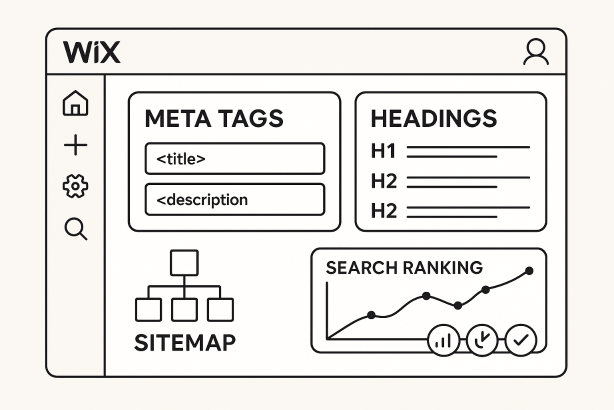

SEO for Wix can work very well when a site is planned like a search asset instead of designed first and optimized later. Wix gives you control over titles, descriptions, URLs, redirects, canonicals, image alt text, blog publishing, and other core settings. What usually limits performance is not the platform itself. It is weak keyword targeting, thin copy, unclear navigation, or a lack of measurement.
This tutorial uses a question and answer format so you can fix the essentials in the right order. Whether you run a local business site, a service website, or a content-led brand, the goal is the same: help search engines understand your pages, help visitors reach the right page faster, and turn organic traffic into business results.
Is Wix good enough for SEO?
Yes, Wix is good enough for serious SEO work if the fundamentals are handled properly. Search performance depends far more on page quality, site architecture, relevance, internal links, and technical cleanliness than on the logo in the footer. A Wix site can rank well when each important page targets a clear topic, the copy matches search intent, and the site avoids duplicate or low-value pages.
The key mindset shift is this: do not treat SEO as a final polish. Build it into your information architecture, templates, and publishing process from the start. If you do that, Wix can support strong visibility for service pages, location pages, blogs, and product content.
What should you set up first when starting SEO for Wix?
Start with the basic Wix SEO settings that affect crawling, indexing, and measurement. Before you touch copy, make sure the site can be discovered and tracked correctly.
- Connect your custom domain and ensure the site loads securely over HTTPS.
- Verify the site in Google Search Console so you can monitor indexing, queries, and page performance.
- Submit the sitemap and review which pages are actually indexable.
- Set page titles and meta descriptions for core pages instead of relying on generic defaults.
- Clean up the navigation so the most important pages are reachable within a few clicks.
- Check sitewide business details such as brand name, phone number, address, and contact information for consistency.
If the foundation is messy, every later optimization becomes slower and less effective.
How do you choose the right keywords for a Wix site?
Start with intent, not volume. Each important page should target one primary topic and a small group of closely related variations. For example, a service page should target a service-led keyword, while a blog article should answer a specific informational question. Mixing both intents on one page often weakens relevance.
A simple method works well:
- List your core services, products, categories, and locations.
- Match each one to the language real customers use.
- Create a page map so every target keyword has a logical destination.
- Use secondary phrases naturally in headings, body copy, image alt text, and internal links.
Good on-page SEO for Wix starts with disciplined keyword mapping. If two pages target the same phrase, they may compete with each other. If one page tries to target ten unrelated phrases, it usually ranks for none of them well.
How should you structure pages and URLs on Wix?
Strong structure makes SEO easier for both search engines and users. Keep the site hierarchy shallow, logical, and easy to scan. Core commercial pages should sit close to the homepage. Supporting pages should live underneath the most relevant parent section.
For URLs, keep them short, readable, and descriptive. Use words people would expect to see, not vague labels or long strings. A clean structure usually looks like service category first, then subtopic if needed. That makes internal linking easier and helps users understand where they are.
It also helps to separate page types clearly. Service pages, location pages, case studies, and blog posts each serve different intents. When everything is mixed under unclear naming conventions, relevance becomes harder to signal. A tidy structure is one of the most underrated parts of a solid Wix SEO checklist.
Which on-page elements matter most for SEO for Wix?
The biggest wins usually come from a small set of basics done consistently.
Title tags and meta descriptions
Your title tag should describe the page topic clearly and include the main keyword naturally. The meta description does not directly guarantee rankings, but it can improve click-through by setting the right expectation.
Headings and page copy
Use one clear H1 that reflects the page topic, then break the content into helpful H2 and H3 sections. The copy should answer the visitor’s next question, not just repeat the keyword. Cover benefits, details, process, objections, and next steps.
Images and alt text
Images should support understanding, not just decoration. Add concise alt text where relevant, especially when the image communicates useful context.
Internal links
Link to related pages with descriptive anchor text. This helps distribute authority, guide users, and clarify topical relationships across the site.
If you only fix one thing on a weak Wix site, improve the quality and specificity of the page content first. Thin pages rarely win long term.
How should you optimize your homepage and core landing pages?
Your homepage should explain three things quickly: who you are, what you offer, and where to go next. It is not the place to target every keyword variation under the sun. Give it a focused title, a clear H1, a concise introduction, and strong links to your most valuable pages.
Core landing pages deserve even more precision. A service page should match a service query. A location page should match a local query. A category page should help users compare options and navigate deeper. Avoid copying the same paragraph across multiple pages with only the city name or service term changed. Unique framing, examples, and FAQs make each page more useful and more defensible in search.
Most conversion pages also benefit from trust signals, clear calls to action, and simple layouts that do not bury the next step.
Which technical settings matter most for SEO for Wix?
You do not need an oversized audit to handle the most important technical points. For technical SEO for Wix, focus on settings that affect indexing, duplication, and user access.
- Indexing controls: Make sure important pages are indexable and low-value pages are not.
- Canonical tags: Use canonicals correctly so search engines understand the preferred version of a page.
- Redirects: If you change a URL, add a proper redirect instead of leaving broken paths behind.
- Sitemap health: Review whether your sitemap reflects the pages you actually want discovered.
- Mobile usability: Check layouts, spacing, and page readability on smaller screens.
- Duplicate content control: Remove or consolidate similar pages that add little unique value.
Technical work is most useful when it supports strategy. A perfectly tidy site with weak content still struggles. But strong content on a site with indexing or duplication issues often underperforms unnecessarily.
Does Wix site speed affect rankings?
Yes, Wix site speed matters because it affects user experience, crawl efficiency, and conversion performance. You do not need to obsess over every tiny score, but you should remove obvious friction.
On Wix, the practical fixes are straightforward: upload properly sized images, avoid media-heavy sections that add little value, keep animations selective, review installed apps, and simplify bloated pages. Long pages are not automatically bad, but slow pages filled with oversized visuals, excessive effects, and clutter usually are.
Also remember that speed is relative to purpose. A high-intent landing page should feel fast and focused. If users bounce before the page proves relevance, ranking signals and conversions can both suffer.
How do you improve Wix blog SEO?
Wix blog SEO works best when the blog supports your commercial pages instead of drifting into random topics. Publish content around the questions, comparisons, objections, and definitions your audience cares about. Then connect those posts to relevant service or category pages with contextual links.
Each article should have a clear search intent, a descriptive headline, strong subheadings, and a real point of view. Avoid publishing several shallow posts that target nearly the same phrase. One strong article is usually better than five thin ones.
It also helps to organize content by topic clusters. If you cover a broad area, build a central guide and then create supporting posts that answer narrower questions. That structure improves internal linking and makes it easier for search engines to understand topical depth across the site.
What do local SEO and internal linking look like on Wix?
For local businesses, local SEO for Wix starts with consistency. Your business name, address, phone number, opening details, and service area information should match across the site and your broader web presence. A useful contact page, location-specific service pages where appropriate, and clear local references in copy can all help reinforce relevance.
Internal linking matters just as much. Your homepage should link to your key services and locations. Service pages should link to related FAQs, supporting guides, and relevant location pages. Blog posts should point readers toward the next commercial step. The goal is to eliminate orphan pages and make the relationship between topics obvious.
When local relevance and internal links work together, your Wix site becomes easier to navigate and easier for search engines to interpret.
Which mistakes hurt SEO for Wix most often?
Most underperforming sites repeat the same avoidable mistakes. Here are the ones worth fixing first.
| Mistake | Why it hurts | What to do instead |
|---|---|---|
| Thin service pages | They fail to show depth, intent match, or differentiation. | Expand pages with clear benefits, process, FAQs, and supporting internal links. |
| Duplicate targeting across pages | Pages compete with each other for the same query. | Assign one primary keyword theme to each important page. |
| Unclear navigation | Users and crawlers struggle to find priority content. | Simplify menus and surface important pages earlier in the structure. |
| Neglected technical cleanup | Broken URLs, wrong index settings, or duplication limit visibility. | Review redirects, canonicals, sitemap inclusion, and page status regularly. |
| Publishing without measurement | You cannot tell what is growing, stalling, or converting. | Track impressions, clicks, landing pages, and conversions every month. |
How do you measure SEO for Wix and keep improving every month?
Use Search Console and your analytics setup to track the metrics that matter most: impressions, clicks, average position trends, top landing pages, branded versus non-branded visibility, and organic conversions. Look for patterns, not isolated daily changes.
A simple monthly Wix SEO checklist is often enough:
- Review pages gaining impressions but weak clicks, then improve titles and descriptions.
- Update core landing pages with clearer copy, FAQs, or stronger internal links.
- Check for indexing issues or broken URLs after any site edits.
- Refresh older blog posts that still have relevant search demand.
- Add internal links from new posts to key service or category pages.
- Monitor which pages drive leads or sales, not just traffic.
Consistent iteration beats occasional overhauls. Most SEO growth comes from small improvements applied repeatedly to the pages that already show potential.
When should you get help with SEO for Wix?
If you have already published the site but rankings are flat, conversions are weak, or the structure feels hard to scale, outside help can save time. The best support usually starts with strategy: keyword mapping, page prioritization, template improvements, content direction, and a realistic workflow for monthly optimization.
Want a faster route? If you would rather follow a clear growth process than patch issues one page at a time, Rabbit SEO can help you turn keyword research, on-page improvements, technical fixes, and performance tracking into a more consistent system.
Final answer: can SEO for Wix drive real business growth?
Yes. SEO for Wix can drive meaningful growth when the site is built around search intent, strong page quality, clean structure, and ongoing measurement. The platform is only the container. The real advantage comes from how clearly your pages answer demand, how well your site guides users, and how consistently you improve what already works.
If you treat SEO as a repeatable operating process instead of a one-time setup task, a Wix site can become a reliable source of visibility, leads, and revenue over time.