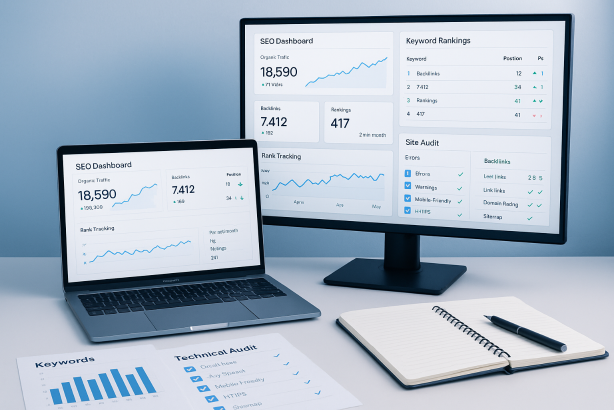

Choosing between modern SEO tools is harder than it looks. Most platforms promise an all-in-one workflow, better rankings, faster audits, and clearer reporting. In practice, every tool has a different strength. Some are excellent for keyword discovery. Others are better for backlink analysis, technical crawling, rank tracking, or content planning. The right decision is rarely about finding a single perfect platform. It is about building a stack that fits your budget, your workflow, and the level of search visibility you want to achieve.
This guide is a practical commercial comparison designed to help you buy more intelligently. Instead of chasing feature lists, you will learn how the major categories of SEO tools compare, which platforms are strongest for specific jobs, and what trade-offs matter before you commit to a subscription. If you manage SEO in-house, run campaigns for clients, or want a better process for your own site, this tutorial will help you narrow the field quickly.
The short version is simple: no serious SEO workflow should rely on one dashboard alone. The best setups combine first-party search data, technical crawling, competitive research, and reporting. Once you understand how those layers work together, it becomes much easier to choose software that supports growth instead of creating noise.
What makes good SEO tools worth paying for?
Before comparing brands, it helps to define what separates a useful platform from an expensive distraction. The best SEO tools do more than surface data. They help you make better decisions, faster.
- Reliable core data: A tool does not need to show every metric under the sun, but the data it does show should be consistent enough to guide planning. That matters most in keyword research, backlink review, and rank tracking.
- Clear workflow support: Good tools reduce friction. You should be able to move from insight to action without exporting ten spreadsheets just to decide what to do next.
- Useful segmentation: Enterprise-level complexity is not always better. What matters is the ability to filter by country, device, page type, keyword set, or competitor so you can prioritize accurately.
- Technical depth where it counts: For audits, a polished interface is less important than crawl visibility, issue prioritization, and the ability to identify indexing, duplication, redirects, internal links, and page status problems.
- Reporting that stakeholders can understand: If you work with clients or internal teams, the best platform is often the one that helps you explain performance without adding hours of manual cleanup.
- Price-to-value fit: The most expensive option is not automatically the best one. A lean stack built around focused tools often beats an oversized suite with features you never use.
One more point matters: your goals. A publisher, an ecommerce brand, a local service business, and an agency do not need the same stack. That is why any serious SEO software comparison should start with use cases, not hype.
SEO tools comparison at a glance
The table below summarizes where leading platforms tend to fit best. This is not a universal ranking. It is a buying shortcut for matching the platform to the job.
| Tool | Best for | Standout strengths | Watch-outs | Best fit |
|---|---|---|---|---|
| Google Search Console | First-party search performance and indexing visibility | Direct data from Google, query/page insights, coverage checks, basic issue monitoring | Limited competitive research, limited historical flexibility | Every site, regardless of budget |
| Screaming Frog | Technical crawling and site audits | Deep crawl control, redirect checks, metadata analysis, internal link discovery | Less beginner-friendly, not a full competitive suite | Consultants, in-house teams, agencies |
| Ahrefs | Backlink analysis and competitor research | Strong link intelligence, content gap workflows, keyword exploration, competitor monitoring | Premium pricing for some teams, less audit-focused than dedicated crawlers | Growth-focused sites and agencies |
| Semrush | Broad all-in-one SEO operations | Wide feature set across research, tracking, auditing, and reporting | Can feel busy, cost rises as usage expands | In-house teams and agencies needing breadth |
| SE Ranking | Balanced all-round value | Accessible interface, rank tracking, research, auditing, client-friendly workflows | Depth in some areas may be lighter than specialist tools | Small teams, consultants, growing businesses |
| Moz Pro | Accessible SEO management | Approachable workflow, keyword tracking, link review, site monitoring | Some advanced users may want deeper competitive data | Smaller teams and marketers wanting simplicity |
| Surfer or Clearscope | On-page content optimization | Content briefs, term guidance, optimization workflow support | Not a substitute for core research or technical tools | Content-led teams and publishers |
Best SEO tools by use case
1. All-in-one SEO tools
If you want one platform that covers keyword research, competitor review, site monitoring, and rank tracking, the main contenders are usually Semrush, Ahrefs, SE Ranking, and Moz Pro.
Semrush is often chosen by teams that want breadth. It is well suited to marketers who prefer to keep most workflows inside one interface, from topic research to rankings and audits. Its advantage is convenience. The trade-off is that some users end up paying for a wide suite when only a smaller set of features drives day-to-day value.
Ahrefs is especially attractive when competitive research and backlink analysis matter heavily to your strategy. It is also a strong choice for teams that build content around search opportunities and want to understand what competing sites rank for. Where it shines is discovery. Where a dedicated crawler may still beat it is technical troubleshooting depth.
SE Ranking sits in a useful middle ground. It is often the easiest recommendation for smaller businesses, consultants, and teams that want a practical feature set without immediately stepping into a higher-cost platform. It may not dominate every category, but it covers the essentials well enough for many real-world workflows.
Moz Pro remains relevant for teams that value a cleaner learning curve and a more straightforward approach to core SEO tasks. It is usually less about maximum complexity and more about accessible, manageable workflows.
How to choose: If you want one platform to anchor your stack, decide whether you care most about feature breadth, competitive intelligence, value, or ease of use. That single decision usually narrows the field fast.
2. Technical SEO tools
Technical SEO is where many businesses discover the limit of broad suites. A general platform may flag issues, but dedicated technical SEO tools are better when you need to inspect architecture, redirects, canonicals, status codes, internal linking, thin pages, and crawl patterns in detail.
Screaming Frog is a standard choice for serious site audits because it lets you see the site as a crawler sees it. That makes it especially valuable for migrations, large content inventories, duplicate content reviews, and QA checks after development work.
Google Search Console is essential here too, but for a different reason. It shows how Google is interacting with your site, not just how a crawler simulates it. Indexing signals, coverage issues, and query/page performance help validate whether technical fixes are actually improving visibility.
For many teams, the best technical workflow is not either-or. It is Screaming Frog plus Google Search Console. One shows structural issues. The other shows search-facing outcomes.
How to choose: If your site is large, frequently updated, or handled by multiple stakeholders, invest in a dedicated crawler. If your site is smaller and relatively stable, you may still need a crawler, but you can use it more selectively.
3. Keyword research tools
The quality of your strategy depends on the quality of your keyword decisions. Good keyword research tools help you discover not just search terms, but search intent, topic clusters, competitor overlaps, and realistic opportunity.
Ahrefs and Semrush are both strong options for keyword discovery and competitive comparison. They are especially useful when you want to reverse-engineer competing sites and find gaps in your own content map.
Google Keyword Planner can still be useful, particularly for broad market validation and paid search crossover, but it is not a complete SEO workflow on its own.
When evaluating research platforms, look beyond volume snapshots. Ask whether the tool helps you answer these practical questions:
- Can I group keywords by intent and page type?
- Can I see who currently owns the search results?
- Can I compare my domain against competitors?
- Can I turn research into a content plan without rebuilding the data manually?
How to choose: For content-heavy growth strategies, prioritize workflow depth and competitor visibility over headline metrics alone.
4. Rank tracking software
Rank tracking sounds simple until you need clean reporting across locations, devices, page groups, and sets of target keywords. This is where dedicated rank tracking software can justify itself quickly.
SE Ranking is frequently favored by smaller teams and agencies because tracking is central to its value. Semrush also works well if you already use it as a broader suite and want to keep reporting in one place. Ahrefs includes tracking too, though some buyers still prefer a specialist rank tracker if reporting is a major deliverable.
The most common mistake in rank tracking is obsessing over single keywords. What matters more is visibility across a meaningful set of terms tied to revenue pages, core services, or high-priority content themes.
How to choose: If you report to clients or leadership every month, prioritize tags, segment filters, and export quality. If tracking is mainly for internal guidance, ease of setup may matter more than advanced presentation.
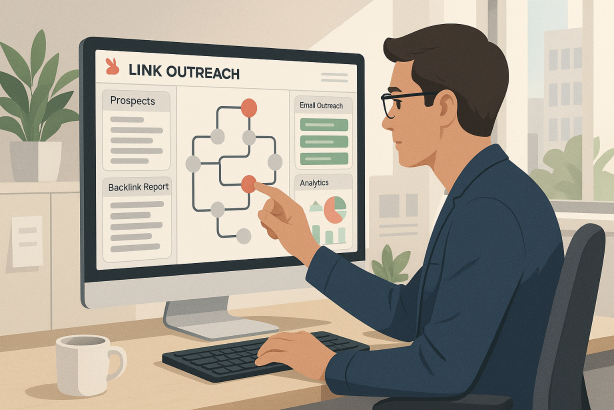
5. Backlink analysis tools
For link review, outreach planning, and competitor benchmarking, strong backlink analysis tools remain indispensable. This is one of the clearest categories where specialized strength matters.
Ahrefs is a common choice for link-focused workflows because it supports detailed domain and page-level review, competitive comparison, and content-led link research. Semrush also covers backlink analysis well within a larger suite. Moz Pro remains a workable option for teams that want a more streamlined link review process without committing to a more expansive platform.
Google Search Console should still be part of the picture, especially when reviewing your own site. It gives you a direct source for site-linked data, even though it is not a replacement for broader competitor intelligence.
How to choose: If digital PR, outreach, or competitor link gap work is central to your strategy, make backlink depth a buying priority rather than an extra feature.
6. On-page SEO tools
On-page SEO tools are most useful when you publish at scale or need a repeatable editorial workflow. Platforms such as Surfer and Clearscope are designed to support content briefs, optimization checks, and topic coverage.
These tools can be helpful, but they should not drive your strategy in isolation. Strong content decisions still begin with search intent, page purpose, internal linking, and topical prioritization. Optimization software works best as a refinement layer after your keyword and content strategy are already clear.
How to choose: Buy this category only if content production is an active bottleneck. If your main challenge is technical debt or unclear targeting, other tools will produce more value first.
How to choose SEO tools based on your business type
Solo site owners and freelancers
If you run a smaller site or manage a handful of projects, avoid the temptation to overbuy. Start with Google Search Console for first-party performance data, add a dedicated crawler like Screaming Frog for technical checks, and then choose one paid research platform based on your main need. If backlinks and competitor discovery matter most, lean toward Ahrefs. If balance and affordability matter more, SE Ranking is often easier to justify.
In-house marketing teams
In-house teams usually need broader collaboration, reporting, and cross-functional visibility. That makes all-in-one platforms more attractive, especially when SEO needs to connect with content, ecommerce, web teams, or leadership reporting. Semrush can make sense here if breadth matters, while Ahrefs can be stronger if the team spends more time on competitor research and content opportunity mapping.
Whatever platform you choose, keep Google Search Console in the workflow and do not rely on a suite alone for technical diagnosis.
Agencies
Agencies need flexible reporting, multi-project management, and a stack that scales across clients with different goals. Many agencies end up using a combination rather than a single platform: one suite for research and visibility reporting, one crawler for technical audits, and sometimes a specialist tracker for client reporting. In agency settings, the best buying decision is often the one that saves analyst time every week, not the one with the longest feature sheet.
A practical SEO tool stack that covers the essentials
If you want a realistic setup rather than a shopping spree, these three stack models are a strong place to start.
Lean stack
- Google Search Console
- Screaming Frog
- One paid platform: SE Ranking, Ahrefs, or Semrush based on budget and need
This covers first-party data, technical analysis, and strategic research without unnecessary overlap.
Growth stack
- Google Search Console
- Screaming Frog
- Ahrefs or Semrush
- Optional on-page optimization platform for editorial teams
This setup works well for businesses publishing regularly, monitoring competitors closely, and managing active optimization roadmaps.
Agency or multi-site stack
- Google Search Console across all properties
- Dedicated technical crawler
- All-in-one research suite
- Dedicated rank tracking or reporting layer if client presentation is a major requirement
The goal is not maximum software. The goal is complete coverage with minimal workflow friction.
Common mistakes when buying SEO tools
- Buying based on popularity alone: A widely used platform can still be the wrong fit for your team size or workflow.
- Paying for overlap: Many businesses subscribe to multiple platforms that solve the same research problem while still neglecting technical crawling.
- Ignoring first-party data: No third-party suite should replace Google Search Console for understanding your own search performance.
- Choosing features over actionability: A smaller tool that helps you make decisions is more valuable than a larger platform your team barely uses.
- Skipping the reporting test: Before buying, ask whether the tool can produce exports and views that your stakeholders will actually understand.
- Expecting one tool to do everything: The strongest SEO workflows usually combine platforms instead of forcing one interface to carry every task.
Need a simpler way to turn SEO tools into action?
If you are evaluating SEO tools for your business, keep your stack focused on what actually moves work forward: better keyword targeting, cleaner technical execution, clearer performance reporting, and smarter prioritization. If you want more practical guidance on building that kind of workflow, explore Rabbit SEO for tutorials, strategy insights, and resources that help turn data into decisions.
Final thoughts on SEO tools
The best SEO tools are not the ones with the longest feature lists. They are the ones that make your next decision easier. For most businesses, that means using Google Search Console as a foundation, adding a strong technical crawler, and then choosing a paid platform based on your real priority: competitor research, backlink visibility, rank tracking, content planning, or reporting.
If you treat your purchase as a workflow decision instead of a software decision, you will spend less, work faster, and get more value from every optimization effort. That is the real purpose of a smart SEO stack.