
Most teams do not struggle because they lack access to technical SEO tools. They struggle because their tools are disconnected from a clear operating process. A crawler produces one report, Google Search Console shows another pattern, page speed tools surface a separate list of problems, and nobody is fully sure what to fix first.
That is why a workflow matters more than a stack. The best technical setup is not the one with the most subscriptions. It is the one that helps you move from discovery to diagnosis, from diagnosis to prioritization, and from prioritization to repeatable monitoring without losing context.
In this guide, we will break down a practical workflow for using technical SEO tools across the full lifecycle of a technical SEO audit. You will see which tool categories matter at each stage, what questions each stage should answer, and how to turn scattered findings into action. If you manage SEO in-house, run an agency workflow, or oversee a growing site with multiple stakeholders, this structure will help you work faster and with more confidence.
Why Technical SEO Tools Matter More in a Workflow Than in a Stack
A tool only becomes valuable when it answers a specific operational question. For example:
- Can search engines crawl this section of the site?
- Are important pages indexable and canonicalized correctly?
- Is the internal linking structure helping discovery and authority flow?
- Did the development release improve or break something?
- Which issues deserve immediate attention, and which can wait?
When teams buy tools before defining these questions, they end up with overlapping data and weak prioritization. When they define the workflow first, each tool has a job. That is the difference between owning software and running a real technical SEO operation.
The guiding principle is simple: use technical SEO tools by function, not by brand loyalty. You need the ability to crawl, inspect indexation, validate rendering, review performance, analyze internal linking, and monitor changes over time. Whether that happens in one platform or across several tools matters less than the clarity of the process.
How to Organize Technical SEO Tools Into One Workflow
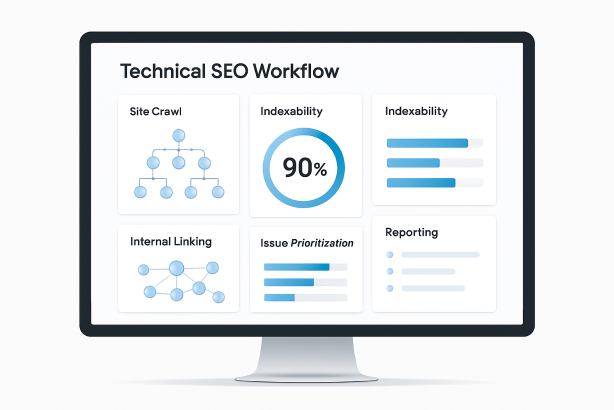
A strong workflow usually follows a predictable sequence. Start broad, narrow to root causes, prioritize by business value, then recheck after deployment.
| Workflow Stage | Main Goal | Tool Type | Primary Output |
|---|---|---|---|
| Baseline review | Understand crawlability and indexation status | Search performance and coverage tools | Known issues, affected sections, initial hypotheses |
| Full site crawl | Map technical structure at scale | Site crawl software | Status codes, canonicals, directives, depth, duplicates |
| Rendering and template checks | Validate what search engines can actually access | Browser inspection and page testing tools | JavaScript, resource loading, metadata, structured data findings |
| Architecture review | Evaluate discoverability and link equity flow | Internal linking analysis tools | Orphan pages, weak hubs, inefficient paths |
| Reality check | Compare theory with actual crawler behavior | Google Search Console and log file analysis | Crawl demand, wasted requests, missed priorities |
| Prioritization | Decide what gets fixed first | Project tracking and audit framework | Action plan with impact and effort scoring |
| Monitoring | Catch regressions and validate fixes | Recurring audits and alerting systems | Ongoing technical health visibility |
This order is important. If you start with page speed before checking whether the page is indexable, you may optimize the wrong thing. If you run a massive site crawl before reviewing index coverage, you may miss the sections that matter most. Good workflow design prevents wasted effort.
Step 1: Start With Crawlability and Indexation Baselines
Before you launch a full technical SEO audit, establish the baseline. This means checking how the site is currently treated by search engines, not just how it is supposed to behave.
Your first stop should be Google Search Console and the site’s own technical controls. Review indexation status, submitted and discovered sitemaps, robots directives, canonical patterns, and any obvious coverage warnings. You are looking for the shape of the problem before you inspect every URL.
Ask basic but essential questions:
- Are key sections being indexed at all?
- Are pages showing as discovered but not indexed, crawled but not indexed, or excluded by directive?
- Do sitemaps include only canonical, indexable URLs?
- Are parameterized, filtered, or staging-like URLs appearing where they should not?
- Are there mismatches between canonical signals, noindex directives, and internal links?
This baseline helps you avoid shallow audits. If a large percentage of product pages are not being indexed, that matters more than a minor metadata inconsistency. If one folder is blocked in robots.txt, that shapes your entire investigation. The baseline phase turns broad concern into a focused diagnostic path.
Step 2: Run a Full Site Crawl With the Right Technical SEO Tools
Once you understand the baseline, move to the site crawl. This is where technical SEO tools become operational. A crawl gives you a scalable map of the website’s architecture and exposes patterns that are impossible to spot page by page.
Set the crawl up carefully. Choose the correct user-agent, decide whether JavaScript rendering is necessary, configure exclusion rules if needed, and segment the site by templates or directories. A crawl is only as useful as its setup. If you mix blog pages, product pages, faceted URLs, and internal search pages without structure, the findings become harder to act on.
Focus on the issues that change crawl efficiency, indexation, and signal clarity:
- Status codes: 4xx pages, 5xx errors, redirect chains, and unnecessary temporary redirects
- Indexability issues: noindex pages receiving internal links, blocked resources, canonical conflicts, and unintended non-canonical clusters
- Duplicate risks: duplicate titles, duplicate content patterns, near-duplicate templates, and parameter-driven URL sprawl
- Metadata and directives: missing canonicals, inconsistent hreflang, faulty robots meta tags, and malformed pagination signals
- Depth and discoverability: valuable pages buried too deep in the architecture
The goal is not to collect the longest list of errors. The goal is to identify patterns that affect important sections at scale. A single broken page is maintenance. A template bug that impacts thousands of URLs is strategy.
Step 3: Check Rendering, Status Codes, and Template-Level Problems
Site crawlers are essential, but they do not replace direct page inspection. This stage is where you verify what search engines and browsers can actually load, render, and interpret on important templates.
Inspect what is delivered before and after rendering
For pages that rely heavily on JavaScript, compare the raw HTML with the rendered result. Confirm that critical SEO elements are present when they need to be: title tags, meta robots, canonical tags, structured data, main content, and internal links. If important elements only appear late or inconsistently, crawling and indexing can suffer.
Use browser inspection tools and page testing environments to check resource loading, blocked files, and DOM changes. This is especially important for ecommerce category pages, faceted navigation, and interactive modules that may hide links or content from crawlers.
Validate server and template behavior
Template problems tend to create large-scale SEO issues. Review representative pages from each template type and test for:
- Incorrect status codes on soft error pages
- Canonical tags pointing to irrelevant or non-equivalent URLs
- Structured data errors or mismatched schema content
- Thin template-generated pages with little unique value
- Inconsistent heading structure and missing primary content blocks
This is also the right moment to review page speed optimization from a technical SEO perspective. The purpose is not to chase abstract scores. It is to find issues that affect crawl efficiency, rendering stability, and user access to key content. Heavy scripts, render-blocking assets, oversized images, and unstable layout shifts can all interfere with discoverability and usability.
Step 4: Use Technical SEO Tools to Audit Internal Linking and Site Architecture
A technically clean page can still underperform if it is poorly connected. That is why internal linking analysis deserves its own stage in the workflow. Internal links influence discovery, crawl paths, contextual relevance, and the relative prominence of your most important URLs.
Start by identifying structural weaknesses:
- Important pages with too few internal links
- Orphan pages that exist in sitemaps but are not linked internally
- Pages buried too many clicks from core navigation paths
- Overlinked low-value utility pages diluting crawl attention
- Navigation systems that create endless or low-value crawl branches
Then evaluate how different page types support each other. Do category pages link to the right subcategories and products? Do blog articles connect to commercial pages where relevant? Are hub pages clearly established for priority topics? Strong architecture helps search engines understand hierarchy and helps users move naturally toward the pages that matter most.
This stage often reveals hidden SEO inefficiencies. A site may have acceptable indexation but weak internal pathways, causing important URLs to receive less crawl attention and less contextual support than they should.
Step 5: Add Log File Analysis and Search Console Data for Reality Checks
A crawler shows what can happen. Log file analysis helps show what is happening. If you have access to server logs, use them to understand how search engine bots actually spend their crawl budget across the site.
This is where theory meets reality. You may find that bots spend a disproportionate amount of time on filtered URLs, paginated combinations, or old redirected pages, while strategically important content is crawled less often than expected. That changes how you prioritize fixes.
Pair this with Search Console performance and coverage patterns. Look for relationships between crawl frequency, indexation state, and visibility. For example, if a section is linked well internally but still receives little crawl activity, you may need to investigate canonical ambiguity, inconsistent signals, or weak sitemap hygiene.
Used together, logs and Search Console help answer questions that a standard technical SEO audit often misses:
- Which page groups consume crawl attention without delivering SEO value?
- Which important sections are undercrawled?
- Are fixes actually changing search engine behavior after deployment?
- Are redirects, faceted URLs, or duplicate paths draining efficiency?
If you cannot access logs, Search Console still provides meaningful directional insight. It is not a full substitute, but it is far better than making crawl assumptions in a vacuum.
Step 6: Prioritize Issues by Impact, Effort, and Scope
One of the biggest failures in technical SEO is treating every issue as equally urgent. Good teams do not just surface problems. They rank them.
A practical prioritization model uses three filters:
- Impact: How strongly could this issue affect crawling, indexation, rankings, or user access?
- Scope: How many important URLs or templates does it affect?
- Effort: How difficult is the fix from a product or engineering standpoint?
| Issue Type | Typical Impact | Typical Scope | Priority Logic |
|---|---|---|---|
| Blocked key sections | Very high | High | Fix first |
| Canonical errors on major templates | High | High | Fix early |
| Orphaned important pages | High | Medium | Fix early |
| Redirect chains on legacy URLs | Medium | Medium to high | Batch into cleanup sprint |
| Minor metadata inconsistencies | Low to medium | Low | Defer unless strategic |
This step matters because stakeholders need clear recommendations, not raw exports. Translate findings into actions such as: update robots rules, revise canonical logic, reduce crawl traps, strengthen template links, clean sitemaps, or fix error-producing redirects. The best output is a roadmap the team can actually ship.
Step 7: Recheck After Deployment and Build Ongoing Monitoring
Technical SEO work is not complete when a ticket is marked done. It is complete when the fix is validated. That means rerunning the relevant checks after deployment and monitoring the site over time for regressions.
Use recurring technical SEO tools to watch the issues most likely to return:
- Broken internal links and status code errors
- Changes to robots directives and canonicals
- Unexpected noindex tags on important pages
- Sitemap quality and canonical alignment
- Template-level performance and rendering shifts
- Internal linking changes after navigation or CMS updates
This is especially important on fast-moving sites where developers, merchandisers, content teams, and platform plugins all influence technical behavior. Monitoring reduces the time between problem introduction and discovery. It also helps SEO teams move from reactive cleanup to proactive governance.
How to Choose Technical SEO Tools Without Overbuilding Your Stack
There is no perfect universal stack. The right combination depends on site size, platform complexity, release frequency, and team maturity. But there are smart selection principles.
- Choose coverage over novelty. Make sure the core functions are handled before adding specialized extras.
- Prioritize export quality. Good data is only useful if you can segment, filter, and present it clearly.
- Think in recurring workflows. If a tool only helps during one annual audit, it may not deserve a central role.
- Look for segmentation. You should be able to isolate templates, directories, and issue clusters easily.
- Consider collaboration. Findings need to move into tickets, summaries, and reports for non-SEO stakeholders.
At minimum, most teams need a reliable crawler, access to Search Console, a way to inspect rendering and performance, and a system for ongoing technical monitoring. Larger teams often add log analysis, custom dashboards, and deeper internal linking workflows. The key is not to accumulate subscriptions. It is to make sure every tool supports a clear decision.
Common Mistakes When Using Technical SEO Tools
- Running audits without business context: A technically imperfect page may still be low priority if it has little strategic value.
- Confusing symptoms with root causes: Duplicate pages may be a crawl issue, a template issue, or an internal linking issue.
- Ignoring template patterns: Page-level fixes do not solve sitewide logic problems.
- Skipping validation: Never assume a deployed fix behaves as specified.
- Treating tools as answers: Tools surface evidence; human prioritization turns evidence into action.
The more complex the site, the more dangerous these mistakes become. A disciplined workflow keeps the team focused on outcomes rather than noise.
Turn Your Technical SEO Workflow Into a Repeatable System
If your team is spending too much time jumping between reports, the answer is not necessarily more software. It is a cleaner operating model. Build a process that starts with indexation and crawlability, expands into a structured site crawl, validates rendering and templates, reviews internal architecture, then prioritizes and monitors continuously.
And if you want a simpler way to keep technical checks visible, actionable, and recurring, explore Rabbit SEO as part of your workflow. The best technical SEO process is the one your team can maintain consistently, not just during a one-off audit.
Conclusion: Technical SEO Tools Work Best Inside a Clear Process
Technical SEO tools are most useful when each one has a defined role in a broader workflow. Start with baseline indexation signals. Expand into crawl data. Validate rendering. review architecture. Confirm real crawler behavior. Prioritize by impact. Then monitor what changes.
That structure is what turns technical SEO from a pile of reports into a scalable operational discipline. If you follow that process, your audits become sharper, your recommendations become easier to ship, and your technical SEO tools start doing what they are supposed to do: helping the right fixes happen faster.