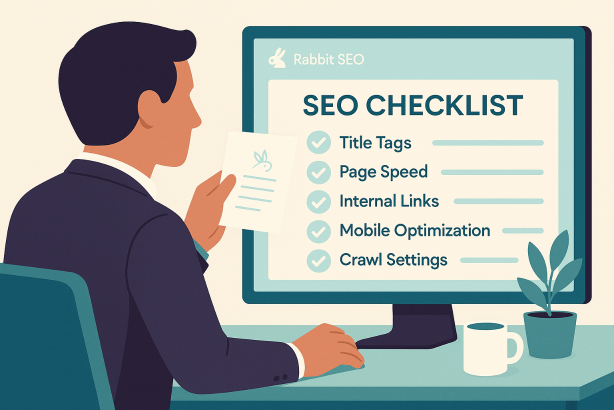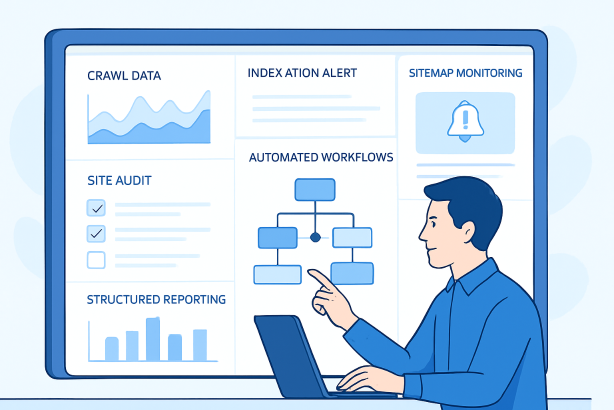

SEO automation software can transform technical SEO from a collection of scattered manual checks into a repeatable operating system. Instead of relying on memory, spreadsheets, and one-off audits, you can use automation to monitor site health, flag issues early, route tasks to the right people, and keep reporting consistent.
The key is to automate the right work. Good automation reduces repetitive effort, improves visibility, and helps teams act faster. Bad automation creates noise, hides context, and turns technical SEO into a box-ticking exercise. This tutorial shows you how to implement SEO automation software step by step so you can build reliable workflows without losing strategic control.
Whether you manage one site or many, the process is the same: define the recurring tasks, connect the right data, create rules and alerts, build review loops, and keep a human decision-maker in charge of prioritization.
What SEO automation software should actually do
In technical SEO, automation is most useful when it supports repeatable, rules-based work. That includes collecting data, checking for known conditions, comparing changes over time, and sending outputs to the right destination.
Useful use cases include:
- Site audit automation for recurring checks across templates, sections, or full-site crawls
- Crawl monitoring to detect changes in status codes, robots rules, canonicals, internal linking, and depth
- Indexation monitoring to surface pages that should be indexed but are not, or pages that should not be indexed but are
- SEO reporting automation for scheduled stakeholder updates and dashboard maintenance
- SEO task automation to route technical issues into project management systems
- Automated SEO workflows for sitemaps, redirects, content launches, migrations, and QA cycles
What should not be fully automated is the final business judgment. A platform can flag a canonical inconsistency, but it cannot decide whether the issue is worth delaying a product launch. It can detect orphan pages, but it cannot decide whether those pages deserve internal links, consolidation, or removal without context.
Before you implement SEO automation software
Do not start with tools. Start with process. Automation works best when you already know which tasks repeat, who owns them, and what a good outcome looks like.
1. List your recurring technical SEO tasks
Write down the tasks your team performs weekly, monthly, quarterly, or around releases. Typical examples include:
- Checking for broken internal links
- Reviewing 3xx and 4xx responses
- Comparing sitemap URLs with indexable URLs
- Spot-checking canonicals on key templates
- Monitoring robots.txt and meta robots changes
- Reviewing sudden changes in internal link counts
- Creating stakeholder reports
- Validating redirects after site changes
If a task is repeated, rules-based, and based on data collection or pattern matching, it is a strong candidate for automation.
2. Define business-critical pages and templates
Not every page type deserves the same monitoring frequency. Segment your site into meaningful groups such as product pages, category pages, blog posts, location pages, help documentation, or account areas. Then mark your most important templates and sections.
This matters because technical SEO automation should reflect business value. A canonical issue on a revenue-driving category template is not equal to a metadata issue on an archived blog post.
3. Set success criteria
Decide what success means before you switch anything on. Examples include:
- Fewer missed technical issues between releases
- Faster response time when errors appear
- Less manual effort in weekly audits
- Cleaner handoffs between SEO, development, and content teams
- More consistent reporting and prioritization
These criteria will help you decide whether your SEO automation software is genuinely helping or simply generating more data.
A practical framework for technical SEO automation
| Workflow area | Best use of automation | Human review still required? |
|---|---|---|
| Crawling and health checks | Recurring crawls, change detection, issue flagging | Yes |
| Indexation checks | Monitoring discrepancies and unexpected changes | Yes |
| Redirect validation | Testing rules and identifying broken pathways | Yes |
| Template QA | Checking canonicals, headings, meta robots, structured elements | Yes |
| Reporting | Scheduled dashboards and exports | Yes |
| Task routing | Sending issues to the right owner with context | Yes |
The pattern is clear: automation accelerates detection and consistency, while people provide context, prioritization, and action.
Step 1: Map your technical SEO workflows from trigger to outcome
The first real implementation step is to document each workflow in a simple sequence:
- Trigger: What starts the process? A release, a daily crawl, a sitemap update, a traffic drop, or a scheduled report?
- Input: What data does the workflow need?
- Check: What condition should be evaluated?
- Output: What should happen if the condition is met?
- Owner: Who reviews and acts?
For example, a redirect QA workflow might look like this:
- Trigger: New URL changes deployed
- Input: Old URL list, new URL list, redirect rules, crawl results
- Check: Are all retired URLs resolving to the correct destination with the intended status code?
- Output: Alert plus issue list for failed mappings
- Owner: SEO manager and developer
Do this for each recurring process. If the workflow is unclear on paper, it will not become clearer inside software.
Step 2: Choose the right data sources for your SEO automation software
Technical SEO automation is only as good as its inputs. Most teams need a combination of crawling data, page-level HTML checks, search performance data, and release-related information.
Useful inputs often include:
- Site crawls
- XML sitemaps
- Server response data
- CMS exports
- URL inventories
- Internal link data
- Search console exports
- Release or deployment schedules
You do not need every possible integration at the start. Begin with the sources required to support your most important workflows. A small, reliable setup is more valuable than a large, fragile one.
What to look for in the data
- Consistency of URL formatting
- Clear distinction between canonical, indexable, and discoverable URLs
- Reliable access to current and historical snapshots
- Ability to segment by template, directory, or market
- Enough context to support triage, not just detection
If your data is messy, your automation will produce noise. Spend time standardizing inputs before scaling workflows.
Step 3: Start with one high-value automated SEO workflow
Do not try to automate everything at once. Start with one workflow that is repetitive, business-relevant, and easy to validate.
Strong first candidates include:
- Broken internal link monitoring
- Unexpected noindex detection on key templates
- Sitemap versus indexable URL checks
- Canonical mismatch reporting
- Status code change alerts on priority pages
For each workflow, define:
- The exact page group being monitored
- The rule that determines pass or fail
- The threshold for an alert
- The destination for the output
- The person responsible for review
A good first automation project should save time immediately and be simple enough to test manually for accuracy.
Step 4: Build recurring crawl-based checks
For technical SEO, crawling is one of the most effective foundations for automation. A recurring crawl can detect structural changes faster than manual spot checks, especially on larger sites.
Checks worth automating first
- Pages returning 4xx or 5xx responses
- Redirect chains and loops
- Unexpected canonical targets
- Pages blocked by robots directives
- Missing or duplicate title and heading patterns on key templates
- Pagination and faceted navigation issues
- Sudden changes in internal link counts
- Orphan URL discovery from sitemap or exports
Schedule these checks at a frequency that matches site change velocity. A publishing-heavy or fast-moving ecommerce site needs more frequent review than a stable brochure site.
The goal is not to be alerted about every imperfection. The goal is to detect meaningful technical changes before they become larger organic search problems.
Step 5: Automate indexation monitoring with clear rules
Indexation issues often develop quietly. Pages can become non-indexable because of template bugs, accidental directives, poor canonical handling, or duplication patterns. That makes indexation monitoring one of the most practical uses of SEO automation software.
Create rule-based checks for page groups that should consistently remain indexable. For example:
- Priority category pages should not carry noindex directives
- Canonical targets should resolve and remain consistent with intent
- Sitemap URLs should largely align with indexable, canonical URLs
- Important pages should not disappear from your monitored inventories without explanation
Then create a separate rule set for page groups that should stay out of the index, such as filtered combinations, internal search results, or utility pages. This helps you avoid the common mistake of treating all indexation changes as bad.
Good automation distinguishes between pages that should be indexed and pages that can be crawled but are not meant for search visibility.
Step 6: Use SEO automation software for release QA
Some of the most expensive technical SEO mistakes happen during redesigns, template updates, platform migrations, and CMS releases. A step-by-step QA workflow can reduce risk dramatically.
Create a release checklist with automated checks for:
- Robots.txt changes
- Meta robots changes
- Canonical output changes
- Status code changes on critical URLs
- Sitemap generation and freshness
- Internal linking changes on core templates
- Structured page elements that affect discoverability or relevance
Set the workflow to run before release when possible, immediately after deployment, and again after a short interval. That last check matters because some issues appear only after caches clear, feeds refresh, or background jobs complete.
Technical SEO automation is especially valuable here because release QA is repetitive, time-sensitive, and vulnerable to human oversight.
Step 7: Route issues automatically to the right owner
Detection without action is not automation. One of the most overlooked benefits of SEO task automation is routing technical issues to the person who can fix them.
Map common issue types to owners:
- Template output problems to developers
- Broken editorial links to content teams
- Redirect mapping issues to SEO and development
- Sitemap generation problems to platform or engineering teams
- Navigation and internal linking issues to UX, content, or SEO stakeholders
Each routed issue should include enough context to be actionable:
- The affected URL or pattern
- The issue type
- Why it matters
- Where it was found
- Suggested next step
- Severity or priority label
This is where automated SEO workflows become operational rather than simply analytical.
Step 8: Add prioritization logic so alerts stay useful
One of the fastest ways to make SEO automation software fail is to send every issue with the same weight. Technical teams quickly learn to ignore alerts that do not reflect business impact.
Build prioritization rules around factors such as:
- Page type importance
- Template reach
- Whether the issue affects crawlability, indexation, or internal link flow
- Whether the issue is new or recurring
- Whether the issue affects one URL or an entire section
A single broken legacy URL and a sitewide canonical bug should never land in the same queue with the same urgency. Your automation should separate monitoring from escalation.
Step 9: Create reporting that supports decisions, not vanity
SEO reporting automation is valuable when it reduces manual work and sharpens focus. It is not valuable when it floods stakeholders with low-signal exports.
Good technical SEO reporting should answer a short list of practical questions:
- What changed since the last review?
- Which issues are new?
- Which critical issues remain unresolved?
- Which sections or templates are most affected?
- What needs action next?
Structure reports by audience. An executive stakeholder may only need trend summaries, risk areas, and status on critical remediation. An SEO lead may need page-group detail, issue counts by severity, and change logs. A developer may need a tightly defined defect list with examples.
The best automated reports are concise, predictable, and tied to action.
Step 10: Keep a human QA layer in every automated process
No matter how strong your implementation is, technical SEO automation still needs review. Rules can be too broad, thresholds can be too sensitive, and context can change.
Create a simple QA routine:
- Review alert accuracy regularly
- Sample-check outputs against live pages
- Retire low-value alerts
- Adjust thresholds when too much noise appears
- Update workflows when the site structure changes
This review loop prevents automation drift, where processes continue running but no longer reflect the current site or business priorities.
Common mistakes when rolling out SEO automation software
Automating before standardizing
If naming conventions, URL patterns, ownership, or page segmentation are unclear, automation will amplify confusion.
Monitoring everything equally
Not all technical issues deserve the same urgency. Tie alerts to business-critical templates and search-relevant risk.
Sending alerts without context
An alert that says there is a problem is rarely enough. Teams need examples, locations, and suggested next steps.
Skipping release-based workflows
Many teams focus on recurring audits but ignore the moments when the biggest changes happen. Release QA should be part of your automation stack.
Forgetting maintenance
Automation is not set-and-forget. Sites evolve. Workflows must evolve with them.
How to know your SEO automation software setup is working
You do not need complicated measurement to assess success. Look for practical operational improvements:
- Important technical issues are caught earlier
- Manual auditing time goes down
- Teams spend less time gathering data and more time fixing problems
- Recurring issues become easier to trace to template or process causes
- Stakeholder reporting becomes faster and more consistent
If none of those things are happening, the problem is usually not automation itself. It is usually one of three things: unclear workflows, weak prioritization, or poor data quality.
When to expand beyond your first workflows
Once your first set of checks is stable, expand carefully. Add workflows that connect naturally to the systems you already trust, such as redirect validation after launches, template-specific QA, segmentation by market, or deeper monitoring of internal linking changes.
Expansion should follow evidence. If a certain type of issue keeps appearing manually, that is a sign it may deserve automation. If a workflow generates frequent noise and little action, simplify it before adding more layers.
A practical next step for teams that want less manual SEO work
If you are ready to reduce repetitive audits, tighten release QA, and build more reliable technical SEO processes, it is worth exploring a platform that helps centralize recurring checks and keeps your team focused on action instead of spreadsheet maintenance.
Rabbit SEO is a strong place to start if you want a more structured way to manage technical SEO work, recurring monitoring, and the operational side of search growth. Explore Rabbit SEO to see how it can fit your workflow and help you spend less time chasing issues manually.
Conclusion: use SEO automation software to systematize technical SEO, not replace judgment
The best SEO automation software does not turn technical SEO into a fully hands-off process. It makes the process more disciplined. It gives you repeatable monitoring, faster detection, better task routing, and cleaner reporting. Most importantly, it frees your team to focus on interpretation, prioritization, and implementation.
Start small, automate one high-value workflow, validate the outputs, and build from there. When you treat technical SEO automation as an operating model rather than a shortcut, you create a system that is easier to scale, easier to trust, and far more useful over time.