
Buying technical SEO tools is easy. Buying the right ones is harder.
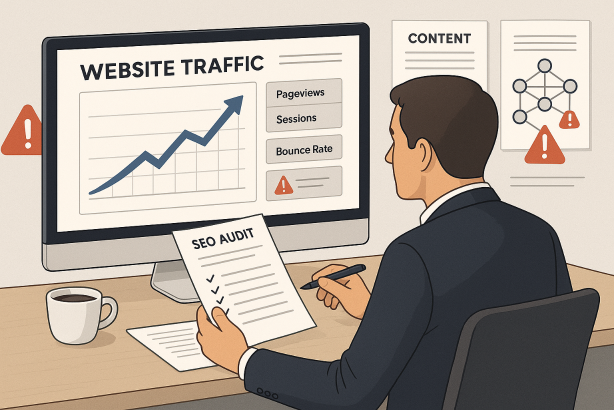
Most teams do not review their stack until something breaks: rankings slip after a migration, pages stop being discovered, JavaScript content fails to render properly, or a developer asks for proof before fixing a template issue. At that point, the market looks crowded. Every platform promises visibility, alerts, audits, prioritization, reporting, and enterprise-grade scale. Many tools deliver part of that promise. Few are equally strong across all jobs.
This buyer guide takes a case-study approach to the decision. Instead of starting with vendor claims, start with the same questions that matter when reviewing a live website under pressure: what is happening, where is it happening, why is it happening, how fast can the team act, and who needs to see the evidence? When you choose technical SEO tools through that lens, the right stack becomes much clearer.
The goal is not to buy the most software. The goal is to build a stack that helps your team find technical issues early, diagnose them accurately, prioritize them sensibly, and communicate them in a way that gets fixes shipped.
Why technical SEO tools should be bought by job, not by feature list
A long feature list is not the same thing as operational value. Many platforms can produce a site audit. Fewer can help you isolate template-specific issues, validate rendering, connect crawl findings to indexation signals, or give developers output they can use immediately.
The best buying decisions usually come from a simple principle: buy for the recurring jobs your team actually performs. In technical SEO, those jobs tend to fall into five buckets.
1. Discover issues at scale
You need to find broken links, redirect chains, duplicate content patterns, canonicals that conflict with internal linking, pagination issues, hreflang mistakes, orphan URLs, thin indexable pages, and crawl traps. This is where SEO crawling tools and site audit software matter most.
2. Understand the root cause
A crawl report alone rarely explains why a problem exists. You may need to inspect rendered HTML, compare source to rendered content, review robots directives, analyze headers, or look at server logs. This is where browser-based diagnostics, render testing, and log file analysis become important.
3. Prioritize what deserves attention first
Technical SEO produces noise fast. A tool that surfaces 20,000 warnings without segmentation is not helping. Buyers should care about filtering by template, directory, status code, indexability, internal link depth, and business importance.
4. Monitor change over time
One-off audits are useful, but most technical SEO issues are recurring. Releases create regressions. CMS settings change. Redirects disappear. Important pages drop out of internal navigation. Good SEO monitoring tools help you spot these changes before they turn into broader losses.
5. Turn findings into action
If a platform cannot export cleanly, integrate with your workflow, or produce developer-friendly evidence, adoption suffers. Reports should support action, not just observation.
A simple comparison table for technical SEO tools categories
| Tool category | Primary job | Best for | Key buying question |
|---|---|---|---|
| Site crawler | Large-scale URL discovery and issue detection | Most SEO teams | Can it segment issues by template, directory, and indexability? |
| Log analyzer | Understanding real bot behavior | Large sites, publishers, enterprise, ecommerce | Do you actually have server log access and someone to interpret it? |
| Rendering and debugging tools | Testing JavaScript, headers, directives, and rendered output | Modern frameworks and complex templates | Can it show what search engines are likely seeing versus source code? |
| Performance and Core Web Vitals platform | Diagnosing speed and UX issues | Teams working on page experience | Does it help isolate template-level causes, not just page-level symptoms? |
| Structured data validator | Checking schema implementation | Sites using rich result markup | Does your markup drive important business pages, or is this a minor need? |
| Monitoring and alerting platform | Watching for regressions | Teams with frequent releases | Can it alert on changes that matter, not just generate more noise? |
| Enterprise platform | Workflow, reporting, scale, governance | Large organizations with multiple stakeholders | Will the collaboration layer save real time across teams? |
How to evaluate technical SEO tools before you sign a contract
Once you know the job, evaluate the tool the way you would evaluate any operational system: on accuracy, usability, scalability, and fit.
Crawl fidelity and depth
The core question is whether the crawler mirrors the website structures you need to analyze. Look for control over crawl speed, user-agent configuration, JavaScript handling, canonical interpretation, XML sitemap comparison, and custom extraction. For larger sites, scheduling and crawl segmentation matter as much as raw crawl capacity.
Rendering visibility
Many SEO issues live in the gap between source HTML and rendered output. If your site relies heavily on JavaScript, your technical stack needs to help you validate rendered links, rendered content, lazy-loaded assets, and noindex or canonical behavior after rendering.
Issue prioritization and segmentation
This is one of the biggest buying differences between average and excellent tools. You want to slice findings by page type, subfolder, indexability, click depth, traffic value, or custom tags. Without segmentation, website crawl analysis becomes a spreadsheet cleanup exercise.
Change detection and monitoring
Ask whether the platform can compare crawls, highlight newly introduced issues, and trigger alerts for critical changes. This matters most for sites with active releases, seasonal content updates, or distributed teams.
Workflow and exports
Reports should be easy to share with SEO, engineering, content, and product teams. CSV export is table stakes. Better tools support API access, custom reports, and outputs that make issue triage easier.
Learning curve
Some buyers overpay for depth they never use. A sophisticated platform is only valuable if the team has the time and capability to use it consistently. If your team is lean, clarity may be more valuable than complexity.
Pricing model
Understand whether pricing is based on crawl volume, projects, seats, features, domains, or usage limits. A tool can look affordable at purchase and become expensive once more teams need access or the site footprint grows.
A case-study way to choose technical SEO tools
Because this article sits in a case studies context, it helps to think in realistic website scenarios rather than abstract wish lists. You do not need a formal published case study to use case-study thinking. You only need to ask: if this were my site and this were the problem, what evidence would I need and what tool would surface it fastest?
Scenario 1: A small lead generation site with limited engineering support
Here, the right stack is usually simple. You need a dependable crawler, access to search engine data, page performance diagnostics, and a lightweight way to validate redirects, canonicals, metadata, and indexability. Paying early for an enterprise platform often adds cost without adding actionability.
What to prioritize: crawl clarity, recurring checks, easy exports, and practical performance diagnostics.
What to skip initially: heavy governance layers, advanced log tooling, and feature depth your team will not use weekly.
Scenario 2: A publishing site dealing with index bloat
This is where technical SEO gets more nuanced. You need a crawler that can isolate paginated archives, tag pages, filtered URLs, duplicate pathways, low-value indexable pages, and orphan content. You may also need log file analysis to understand whether search engines are spending time on low-value areas instead of priority pages.
What to prioritize: segmentation, canonical analysis, internal linking reports, XML sitemap comparison, and bot activity visibility.
What to skip initially: flashy executive dashboards if the real challenge is diagnosis.
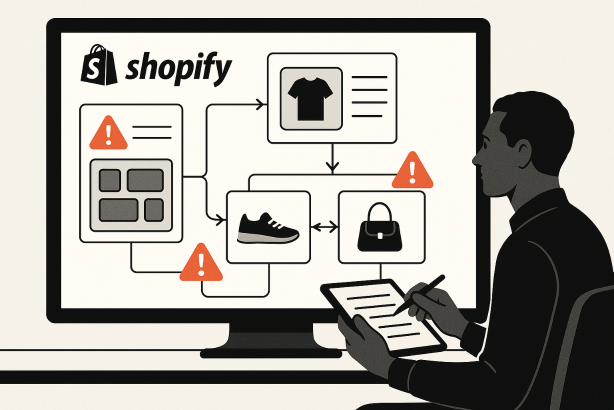
Scenario 3: An ecommerce site with faceted navigation and frequent releases
This is one of the clearest cases for a more capable stack. Faceted URLs, parameter handling, inconsistent canonicals, internal duplication, stock-status changes, and template regressions all create technical risk. You need scheduled crawls, change tracking, strong filtering, render support, and practical alerting.
What to prioritize: crawl controls, template-level reporting, indexability views, redirect validation, and release monitoring.
What to skip initially: isolated tools that cannot connect findings across thousands or millions of URLs.
Scenario 4: An enterprise site with multiple markets and stakeholders
At this level, the buying decision is not just about diagnostics. It is also about governance. Can teams share views? Can issues be assigned? Can data be exported into internal systems? Do international teams need hreflang views and market-specific segmentation? This is where enterprise SEO platforms can make sense, provided the collaboration layer genuinely reduces friction.
What to prioritize: permissions, workflow, reporting, APIs, and cross-team visibility.
What to skip initially: any platform that looks impressive in a demo but makes simple tasks slower.
Which technical SEO tools are worth paying for first?
If budget is limited, buy in layers.
First paid layer: a strong crawler
For most teams, this is the first serious purchase. If you cannot reliably crawl the site, everything else becomes slower. A good crawler supports audits, migrations, QA, internal linking reviews, canonical validation, redirect checks, and content hygiene.
Second paid layer: monitoring for ongoing visibility
Once you have baseline audit capability, the next valuable layer is monitoring. A recurring technical issue costs more than a one-time issue because it keeps returning. A monitoring platform is especially useful if your site changes often.
Third paid layer: deeper diagnostics where complexity exists
This is where tools for Core Web Vitals tools, rendering checks, or schema markup testing may move up the priority list, depending on your site. Not every business needs all three at equal depth.
Fourth paid layer: log analysis for large or complex sites
Logs are powerful, but only when the site size and team maturity justify them. For enterprise, media, and large ecommerce properties, logs can answer questions that crawlers cannot. For smaller sites, they may be unnecessary overhead.
Features that sound attractive but should not drive the purchase alone
- Generic health scores: useful for a snapshot, weak as a buying reason.
- Huge issue counts: volume does not equal insight.
- Pretty dashboards with shallow diagnostics: reporting matters, but root-cause support matters more.
- All-in-one positioning: broad tools are not automatically better than focused ones.
- Competitor feature parity: do not buy something because another team says it is standard. Buy it because it solves a defined workflow problem.
Questions to ask on every demo of technical SEO tools
- How does the platform handle JavaScript rendering?
- Can we crawl staging or password-protected environments?
- How are issues grouped and prioritized?
- Can we compare crawls and isolate newly introduced problems?
- Can we segment reports by template, directory, or custom rules?
- What does the export or API access look like?
- How does the tool support international SEO and hreflang review?
- What happens when our crawl volume grows?
- How noisy are the alerts, and can we tune them?
- What does onboarding actually require from our team?
Recommended buying paths by team size
| Team type | Best starting stack | Why it works |
|---|---|---|
| Solo consultant or small business | Crawler + search engine data + performance diagnostics | Keeps costs focused on the highest-utility workflows |
| In-house mid-market team | Crawler + monitoring + rendering checks | Balances audits with recurring visibility and release QA |
| Agency | Flexible crawler + reporting workflow + client-friendly exports | Supports many site types without unnecessary enterprise overhead |
| Large publisher or ecommerce brand | Crawler + monitoring + log analysis + performance tooling | Supports scale, crawl efficiency, and ongoing change management |
| Enterprise organization | Platform stack with workflow, permissions, and API access | Solves governance as well as diagnostics |
Common buying mistakes to avoid
- Buying too early for scale you do not have. Not every site needs logs, custom APIs, or enterprise governance.
- Buying too late for complexity you already have. If migrations, international SEO, or faceted navigation are routine, lightweight tools may start costing time.
- Replacing process with software. A tool does not fix unclear ownership, slow development cycles, or weak prioritization.
- Letting demos define the need. Your site structure and workflow should define the evaluation criteria, not the vendor narrative.
- Ignoring adoption. The best tool on paper is a poor purchase if only one person can use it well.
Build a technical SEO stack that helps your team act
If you are reviewing technical SEO tools, the smartest next step is not adding more subscriptions. It is tightening the gap between discovery and action. Use the framework above to audit your current stack, identify overlap, and find the missing capability that would actually improve your workflow.
If you want a simpler way to keep technical issues visible between audits, visit Rabbit SEO and see whether its workflow fits your team before you commit to another heavyweight platform. The right solution should help you stay organized, monitor what matters, and turn technical findings into repeatable execution.
Conclusion: choose technical SEO tools that match the work
The best technical SEO tools are not the ones with the most tabs, the loudest scoring systems, or the broadest promises. They are the ones that help your team answer real questions on real websites: what changed, what matters, what caused it, and what should be fixed first.
Buy with a case-study mindset. Start from the problem, the site type, and the workflow. Prioritize crawl visibility, diagnosis, monitoring, and actionability. When your stack is aligned with the work, technical SEO becomes less about collecting reports and more about shipping improvements that protect and grow organic performance.